
Anchanto Alternative: A Multichannel System Built Around Your Store
A packaged multichannel platform like Anchanto handles orders and warehouse for online sellers — until your channels, stock sync and fulfilment stop fitting its template. Here's when it's the right call, when you've outgrown it, and what a built-for-you system does that a product can't.
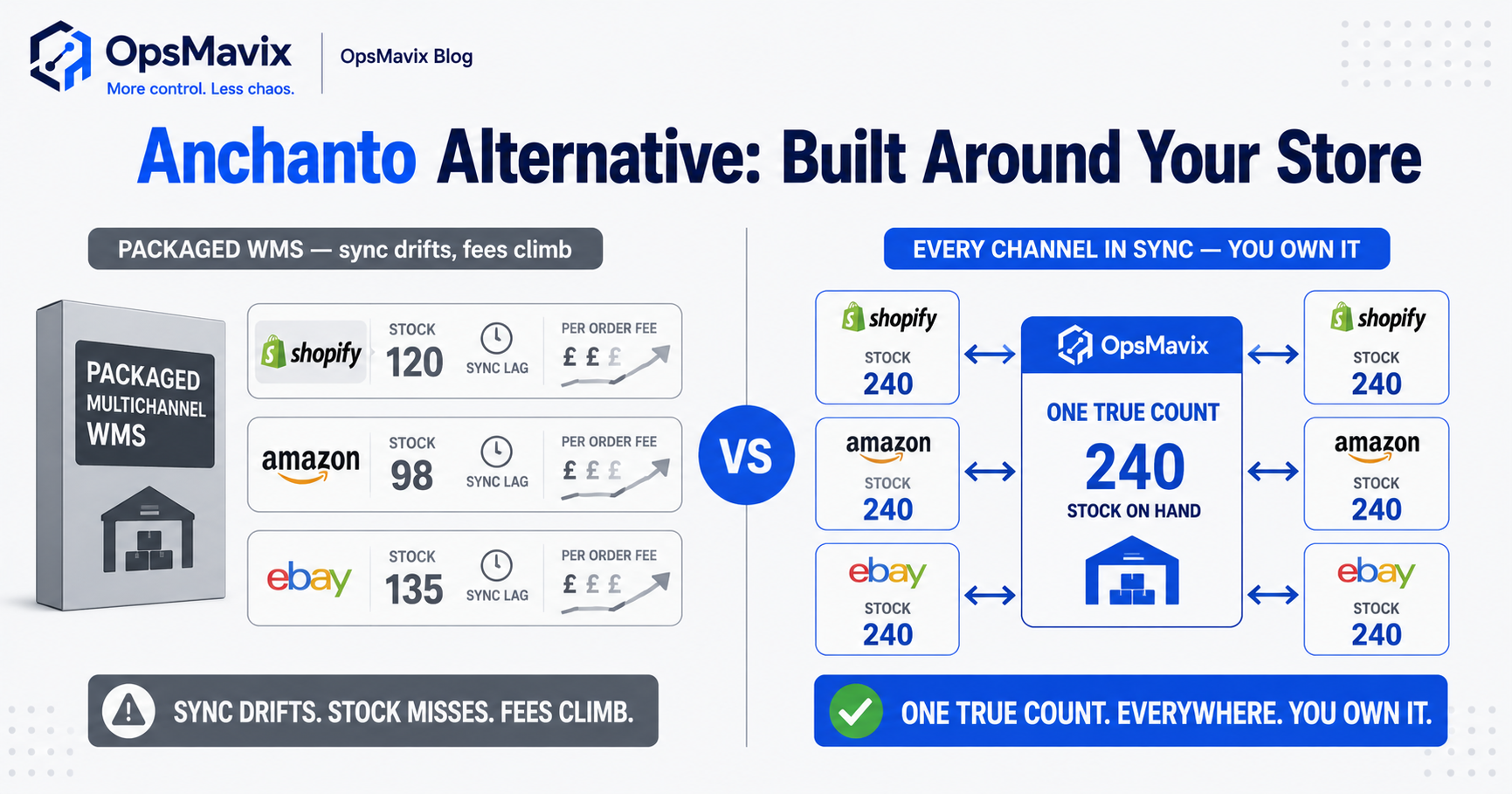
An Anchanto alternative should be compared against the specific order, warehouse or integration requirement your current setup cannot meet. Anchanto offers separate warehouse management and order management products, so begin by identifying which functions you use and where the workflow fails.
A stock discrepancy may come from a missed receipt, a reservation rule, a mapping error or a failed connection. Another platform, including a custom system, will still need those records and external interfaces to work reliably. Replacing a product without identifying the cause can move the same problem into a new application.
This guide shows how to distinguish WMS and OMS requirements, test difficult scenarios and compare configuration, integration, another packaged platform and development. The aim is a maintainable fit for your channels and fulfilment operation, rather than an unsupported claim that custom software removes sync delays or vendor dependencies.

The useful platform comparison starts with the warehouse records and movements that need to remain reliable.
Image credit: FIONASUN, CC0 1.0. Displayed at a reduced size; no additional edits.
Key Takeaways
- Separate WMS and OMS scope, including stock movements, orders, listings and channel connections.
- Trace one failing scenario to its cause, rather than assuming every side spreadsheet proves a product limit.
- Test reservations, bundles, returns and partial fulfilment across the actual supported channels.
- Custom development still depends on external interfaces, with delays, access rules and failure handling.
- Obtain scoped commercial proposals, without assuming Anchanto uses a particular pricing model.
- Compare configuration and replacement fairly, and reconcile records through a limited migration pilot.
In this guide:
- 1. Identify the Product and Workflow in Scope
- 2. Investigate the Current Workaround
- 3. Define Stock Ownership and Availability
- 4. Test Bundles, Returns and Partial Orders
- 5. Make Interfaces and Failed Updates Visible
- 6. Compare the Available Routes
- 7. Calculate Cost and Confirm Practical Ownership
- 8. Pilot Migration Without Competing Stock Records
- Frequently Asked Questions
- How OpsMavix Can Help
1. Identify the Product and Workflow in Scope
Distinguish order control from warehouse execution
An OMS handles order lifecycle and allocation decisions. A WMS manages the physical warehouse workflow, such as receiving, locations, picking and dispatch. Their responsibilities can overlap, but the labels do not establish the exact records or controls.
Anchanto’s warehouse management page describes multi-client and multi-warehouse execution. Its order management page describes omnichannel order operations. Confirm the modules and interfaces in your actual proposal.
Write the gap as a testable outcome
Instead of “the platform is too rigid”, describe the failed requirement: a client-specific charge cannot be calculated, a bundle reserves the wrong component, or an order correction loses its approval history.
| Area | Requirement to define |
|---|---|
| Orders | Capture, changes, statuses and authority |
| Stock | Owner, location, status and reservations |
| Warehouse | Receiving, picking, packing and dispatch |
| Channels | Listing identity and offer updates |
| Finance | Charges, invoices and reconciliation |
| Reporting | Definitions, source dates and access |
2. Investigate the Current Workaround
Follow a recent transaction
Take the original order, movement history, channel updates and correction. Identify where the information first diverged and which system should have controlled it.
A spreadsheet may be compensating for missing configuration, unavailable reporting, an interface gap or an unsupported commercial rule. Those causes lead to different remedies.
Ask the current supplier to demonstrate the requirement
Use the same example and ask which supported settings, modules or interfaces can achieve the outcome. Obtain the proposed effort and ongoing cost.
If the issue can be configured reliably, migration may be unnecessary. If it cannot, the scenario becomes an acceptance test for alternatives. Include the operators and reviewers who handle it, rather than evaluating only an administrator’s demonstration.
Avoid unverified quotations or assumptions about every customer’s experience. Your records are stronger evidence for your decision than an invented story about another warehouse.
3. Define Stock Ownership and Availability
Keep physical and offered stock separate
On-hand quantities, reservations, restricted stock and channel offers need clear definitions. For multi-client operations, ownership must survive every receipt, move, pick and adjustment.
A combined dashboard can show totals while each fulfilment route uses a narrower eligible pool. Do not assume that one report number should be written unchanged to every channel.
Test a shared last unit
Hypothetical scenario: one eligible unit remains in the warehouse and two channels can accept orders. Demonstrate when the first order reserves it, how each offer is updated and what happens if the other channel accepts an order before receiving the update.
The process needs an explicit shortage or exception route. A buffer may reduce exposure but cannot remove every race or external delay.
Our eCommerce inventory workflows page covers the connected records. A custom system still depends on correct movements and channel behaviour; source ownership does not make external APIs instantaneous.
4. Test Bundles, Returns and Partial Orders
Define the stock effect of a bundle
A selling bundle may reserve components at order entry, while a physically assembled kit can consume components and create a finished item. Those are different processes.
Test shared components, substitutions, incomplete kits and cancellations after allocation. The system should explain what was reserved or consumed and what remains available.
Follow corrections through the lifecycle
A returned unit may be awaiting inspection, damaged or supplied from a different lot. Keep its client, order and status relationship intact. Receipt does not automatically mean saleable release.
| Scenario | Result to demonstrate |
|---|---|
| Component shortage | Bundle availability reflects the agreed rule |
| Partial fulfilment | Shipped and outstanding lines remain clear |
| Cancellation | Relevant reservations released once |
| Return awaiting review | Restricted until the defined decision |
| Changed order | History and downstream updates retained |
| Duplicate imported message | No duplicate order or stock movement |
Use the actual transaction shapes your business relies on. A clean single-item order does not prove the exceptions.

Bundles, returns and partial orders need explicit stock and status decisions throughout fulfilment.
Image credit: Nenad Stojković / Shixart1985, CC BY 2.0. Displayed at a reduced size; no additional edits.
5. Make Interfaces and Failed Updates Visible
Assign record ownership
Define which system can change products, orders, reservations and dispatch confirmations. Listing identifiers and units need stable mappings so a connection does not update the wrong offer.
Show pending work, accepted updates and rejected or uncertain results. A green connection status does not establish that every transaction has arrived.
Plan recovery before choosing an alternative
Test interrupted access, replayed messages, order amendments and delayed confirmations. Determine whether the workflow pauses an offer, uses a reviewed fallback or raises an exception.
Custom development needs the same controls as a packaged integration: supported access, duplicate handling, reconciliation and a maintainer. It cannot guarantee continued access to another platform or remove that platform’s rules.
6. Compare the Available Routes
Use the same evidence across candidates
Ask each candidate to demonstrate your order, bundle, return and failed-update scenarios. Record which functions are standard, configured, integrated or proposed development.
| Route | Where it can fit | What to prove |
|---|---|---|
| Configure Anchanto | Required capability exists but is not used effectively | Supported settings, reports and operator workflow |
| Add an integration | Core execution works; another process is disconnected | Coverage, authority and reconciliation |
| Another packaged platform | Standard requirements fit a different model | Channels, exceptions, exports and support |
| Focused custom system | A valuable requirement remains unsupported | Scope, controls and maintainable handover |
| Full ERP | Wider operational and financial requirements justify it | End-to-end fit and migration continuity |
Keep scope balanced
OpsMavix can build full ERPs as well as focused multichannel systems. A broader route may be appropriate where purchasing, production and finance are part of the same requirement.
Neither platform size nor custom ownership determines fit by itself. The demonstration should establish the outcome, not merely that a field can store the requested text.
7. Calculate Cost and Confirm Practical Ownership
Obtain a scoped proposal
Do not assume a universal Anchanto per-user or per-order price. Ask for the proposed modules, users, sites, channels, volumes and service scope, with any growth-related charges identified.
Compare implementation, migration, integrations, devices, training, support and remaining administration over the same period. A custom build still has hosting, maintenance and external connection costs.
Make exit and change practical
Request exports for products, stock identities, orders, reservations, movement history and documents. Confirm retention and access after termination.
For custom software, define source rights, credentials, deployment instructions and the ability to appoint another maintainer. Identify third-party dependencies and test recovery.
Measure the existing workaround before claiming a saving. If a pilot reduces reconciliation by four hours weekly, that is released capacity unless expenditure actually falls. Do not present an unexplained stock difference as an amount automatically recovered by replacement.
8. Pilot Migration Without Competing Stock Records
Reconcile the starting position
Map products, units, owners, locations, statuses and listing identifiers. Agree opening balances, outstanding orders, reservations, returns and in-transit movements.
Decide which history migrates and which remains in a controlled archive. Keep old identifiers or a reliable cross-reference so records remain understandable.
Acceptance checks should include:
- Opening quantities reconcile by the required stock identity.
- Orders and listings map to the intended products.
- Reservations and bundles follow the agreed policy.
- Partial work retains outstanding quantities.
- Returns retain review and release decisions.
- Failed and repeated updates are recoverable.
- Client and user access remains correctly restricted.
- Reports show their source definitions and dates.
- Required history and documents remain accessible.
- Exports and recovery work before cutover.
Define the cutover boundary
Specify when the old system stops accepting new movements and who approves the final opening position. Avoid two applications independently changing stock without a reconciliation plan.
Expand after the team can operate exceptions and explain the records. Migration success is more than a new login page.
Frequently Asked Questions
What is the best Anchanto alternative?
There is no universal choice. Define the WMS, OMS and integration requirements, then compare configuration, another packaged platform and development using the same scenarios.
Are Anchanto WMS and OMS the same product?
Anchanto publishes separate warehouse and order management offerings. Confirm the modules and responsibilities in the setup or proposal you are evaluating.
Does a side spreadsheet mean we must replace the platform?
No. It may result from configuration, reporting or an integration gap. Investigate the cause before deciding on migration.
Will a custom system eliminate every sync delay?
No. External platforms retain their own interfaces, timing and access rules. Build clear reservation, fallback and reconciliation controls.
Can a packaged tool handle bundles and returns?
Many can, but behaviour varies. Demonstrate component reservations, physical kitting, partial fulfilment and return release using your actual process.
Does ownership remove ongoing costs?
No. Hosting, maintenance, support and external services still need funding and responsibility. Source rights matter when handover is usable.
How should Anchanto pricing be compared?
Use a scoped supplier proposal with modules, sites, users, channels and volumes defined. Compare complete operating cost rather than an unverified generic range.
Could a full ERP be appropriate?
Yes, where wider purchasing, production, inventory and finance requirements justify the scope. Evaluate those connections before selecting a narrower replacement.
Where should we start?
Trace one difficult order from capture to fulfilment and channel updates. Use the failed outcome as a test for the current supplier and alternatives.
How OpsMavix Can Help
OpsMavix builds eCommerce systems and inventory workflows around defined operational requirements.
We identify the failed scenario, assess configuration and integrations, and specify any remaining development scope. The outcome can be focused or a full ERP where wider processes require it.
We can help define stock identities and reservations, connect order changes, surface failed updates, compare demonstrations and plan a reconciled migration with practical handover.
If workarounds have become a routine part of fulfilment, book an Operations Leak Audit. Bring an order and its movement and channel records so we can assess what change is justified.
Keep reading
Getting value from OpsMavix? Add us as a preferred source on Google — you'll see more of our operations content in your AI Overviews, AI Mode and Search.