
3PL Inventory Management Software: What Actually Matters When You Hold Other People's Stock
3PL inventory management software is the system a fulfilment provider uses to track stock it holds for multiple client businesses, bill each client for storage and handling, and keep every count accurate across accounts. This guide covers what separates a real 3PL platform from a general warehouse tool, the features that actually matter, and where a packaged box stops fitting how you run.
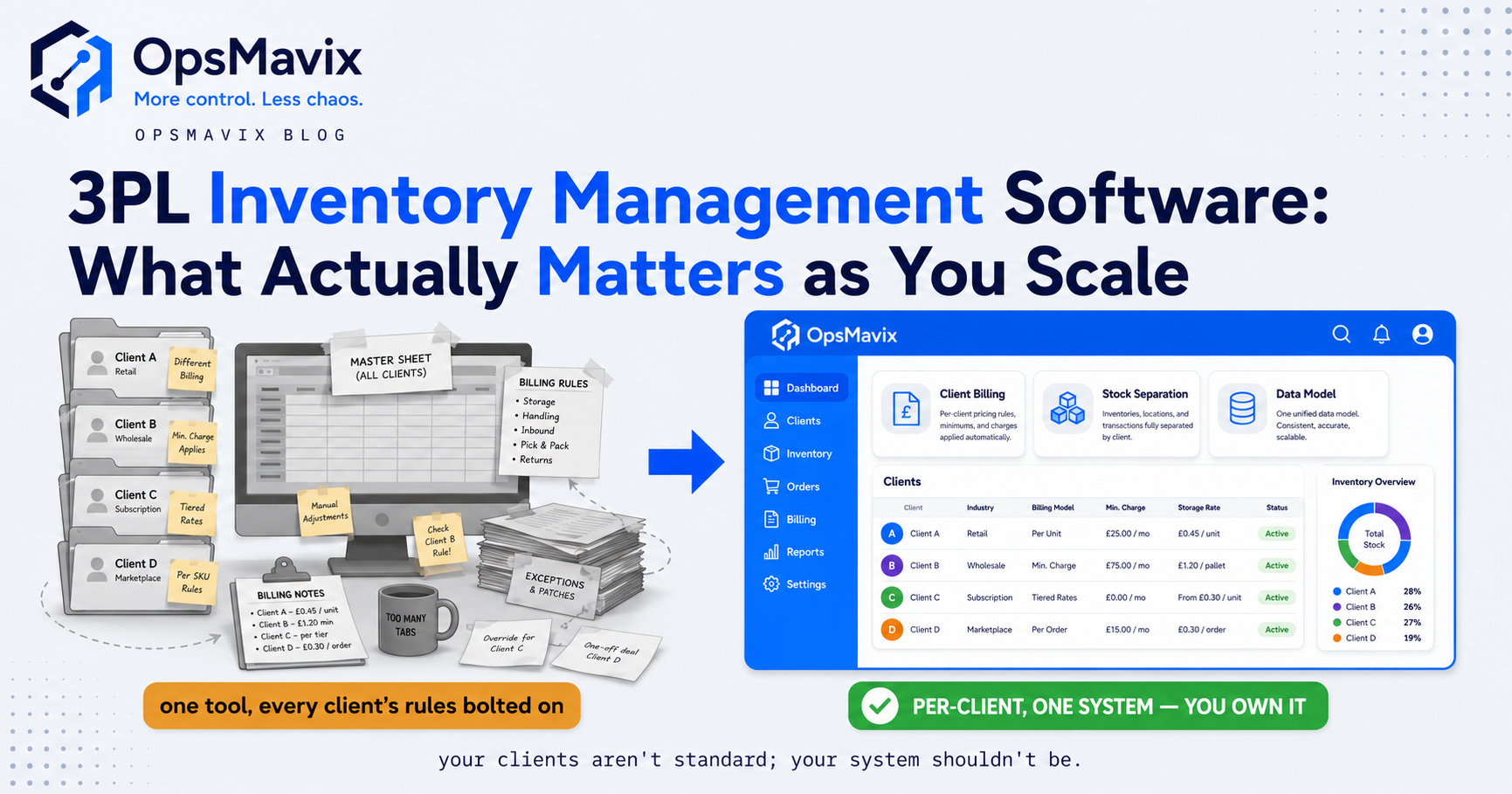
3PL inventory management software tracks goods held for different client businesses and connects warehouse activity to each client’s orders, reporting and charges. The essential test is whether ownership remains clear from receiving through dispatch, counting, returns and billing. A warehouse-wide total is useful, but it cannot replace a reliable balance for each owner.
A fulfilment provider can have an accurate physical count and still give a client the wrong figure. The same product may belong to two clients, a return may be awaiting inspection, and a pallet may have moved without the storage record being updated. Software needs to represent those distinctions rather than hide them behind one available quantity.
This guide explains the records and controls to demonstrate before choosing a platform. It also compares configuration, integration and custom development, so a billing spreadsheet or unusual intake process does not automatically become a replacement project.

Warehouse storage is shared physically; ownership, status and transaction records still need to remain distinct.
Key Takeaways
- Stock ownership must survive every movement, including receipts, picks, returns, counts and adjustments.
- A client field is only the starting point. Demonstrate permissions, allocations and reports using overlapping product codes.
- Billing should trace back to recorded activity and agreed rates, with effective dates, corrections and review controls.
- Client visibility needs access boundaries and clear update status, rather than an unsupported promise that every external system is always current.
- Packaged 3PL software can already provide billing and portals. Test your contracts before assuming those features require a build.
- Choose the smallest change that closes the demonstrated gap, while including migration, support and future dependencies in the decision.
In this guide:
- 1. Define Ownership and the Inventory Record
- 2. Test Receiving, Locations and Allocation
- 3. Connect Activities to Client Billing
- 4. Give Clients Useful and Restricted Visibility
- 5. Handle Returns, Kitting and Stock Counts
- 6. Compare Configuration, Integration and Replacement
- 7. Model Cost and Practical Ownership
- 8. Pilot a Client Before Moving the Warehouse
- Frequently Asked Questions
- How OpsMavix Can Help
1. Define Ownership and the Inventory Record
Separate the product from its owner
A product code identifies a product within a defined catalogue. It does not necessarily identify who owns a particular quantity. Client A and client B may both use code BOX-10 for different products, or hold identical products with different commercial ownership.
Define the relationships between client, product, warehouse, location, lot, serial number and stock status. The level of detail should follow the operation. A lot-controlled food product needs different evidence from a simple non-traceable accessory.
Hypothetical example: two clients each send 400 identical units to the warehouse. A 30-unit dispatch for client A changes A’s balance to 370 and leaves B’s at 400. The physical total becomes 770. All three views must agree.
| View | Before dispatch | After A dispatches 30 |
|---|---|---|
| Client A | 400 | 370 |
| Client B | 400 | 400 |
| Warehouse total | 800 | 770 |
Distinguish physical stock from available stock
On-hand stock can include allocated, quarantined, damaged or otherwise restricted goods. Define which statuses contribute to each client’s available figure and which may be selected for an order.
Do not assume a return becomes saleable when it arrives, or that reserved goods remain available to another order. Keep those decisions visible and test how the application calculates the figures.
Ask for evidence rather than category labels
Some general inventory systems support owner or consignment records; dedicated 3PL platforms vary in scope too. Demonstrate your requirement rather than treating the product category as proof of fit or failure.
2. Test Receiving, Locations and Allocation
Receive against the actual client and delivery
An advance shipping notice helps plan intake. It is expected information, not confirmation of what arrived. Capture the actual quantity, owner, relevant lot references and any discrepancy.
Test unplanned deliveries, short receipts, damaged cartons and deliveries split across days. Establish who can resolve a missing client reference and whether unresolved goods remain restricted until identified.
Make locations usable on the floor
A picker needs a clear location and a way to confirm the correct product and ownership. Shared storage arrangements need particular care: physically similar stock should not become interchangeable merely because the barcode looks familiar.
Our warehouse slotting guide considers where stock sits. Software must also retain ownership and status as goods move between locations.
Follow allocation through a shortage
Use two client orders for the same product in a demonstration. Show which owner, status and location can fulfil each order, how reservations change availability, and what happens when the selected bin is short.
| Test | Result to demonstrate |
|---|---|
| Duplicate client product codes | Correct client catalogue selected |
| Short delivery | Actual quantity recorded with an exception |
| Shared location | Ownership retained in the movement record |
| Restricted stock | Excluded according to the agreed policy |
| Partial fulfilment | Shipped and outstanding quantities remain clear |
| Cancelled order | Reservation released through a controlled action |
A scan can identify a record and enforce a selection rule. It cannot independently prove that every unit in a sealed carton is present or correctly labelled.
3. Connect Activities to Client Billing
Define the chargeable event
A storage contract might use occupied pallets, volume, a daily snapshot or a minimum monthly charge. Handling might be charged per delivery, carton, order, line or unit. Those are different rules and need explicit definitions.
Record the event, client, quantity, rate basis and applicable period. Specify what happens when an activity is corrected after invoicing, or a rate changes during the billing month.
Packaged support exists: Mintsoft’s 3PL page describes activity-based client invoicing for storage, handling, fulfilment and shipping. This is a capability to demonstrate against your contracts, not evidence that every unusual charging rule is covered.
Reconcile a simple invoice
Hypothetical monthly example: a contract charges £3 per pallet-week, £0.75 per picked order and £20 per inbound delivery. Assume 40 chargeable pallet-weeks, 200 orders and two deliveries, with no minimum or additional charges.
| Activity | Quantity | Rate | Charge |
|---|---|---|---|
| Storage | 40 pallet-weeks | £3 | £120 |
| Picking | 200 orders | £0.75 | £150 |
| Receiving | 2 deliveries | £20 | £40 |
| Illustrative total before tax | £310 |
These are example rates, not vendor prices or an OpsMavix quotation. Real contracts may include rounding, minimums, packaging, returns and other conditions.
Review before posting
A generated draft should make its activity basis inspectable. Review missing rates, unusual quantities, credits and overrides before posting to accounts.
Prevent the same activity being billed twice on a rerun. Keep the original invoice relationship when issuing an authorised correction, rather than silently rewriting completed billing history.
4. Give Clients Useful and Restricted Visibility
Design the client view around decisions
Clients may need available stock, expected receipts, order status, returns awaiting action and a billing breakdown. Show what each number means and when connected information was last updated.
A client should be able to distinguish a warehouse-confirmed dispatch from a carrier-delivery update. Those events come from different sources and may arrive at different times.
Test access boundaries directly
Use separate test accounts for two clients. Check stock pages, downloaded reports, document links, order searches and any API access. Removing another client’s name from a screen is not enough if a direct record link still opens their data.
Within one client, a warehouse user, finance user and external customer may need different permissions. Define who can submit orders, change addresses, approve exceptions or view commercial rates.
Make pending work visible
A failed marketplace connection should not display a stale quantity as though it is confirmed current. Show pending updates, failures and the owner responsible for recovery.
For each connection, agree which system owns product information, orders, reservations and final dispatch. A portal should explain the records rather than create another independently editable stock balance.
5. Handle Returns, Kitting and Stock Counts
Keep returns separate until reviewed
A returned unit may be unopened, damaged, incomplete or supplied from a different lot. Link it to the appropriate client and order, then record the inspection and disposition required by the client’s procedure.
Separate receipt of a return from its release to available stock. Keep any return-handling charge linked to the actual activity and contract.
Record what a kit consumes and creates
A kit can be a virtual selling bundle or a physically assembled product. Define whether assembling it consumes component quantities and creates a finished quantity, or whether components are allocated when the order is picked.
Test partial kits, disassembly, substitutions and client-supplied packaging. Otherwise a finished-kit figure can conceal a shortage in the component records.
Count the full stock identity
A count should specify the client, item, location and any required lot or serial detail. Confirm how movements are controlled during the count, who reviews variances and how corrections retain history.
A correct warehouse total can conceal equal and opposite errors between clients. Reconcile the ownership breakdown as well as the physical total.
6. Compare Configuration, Integration and Replacement
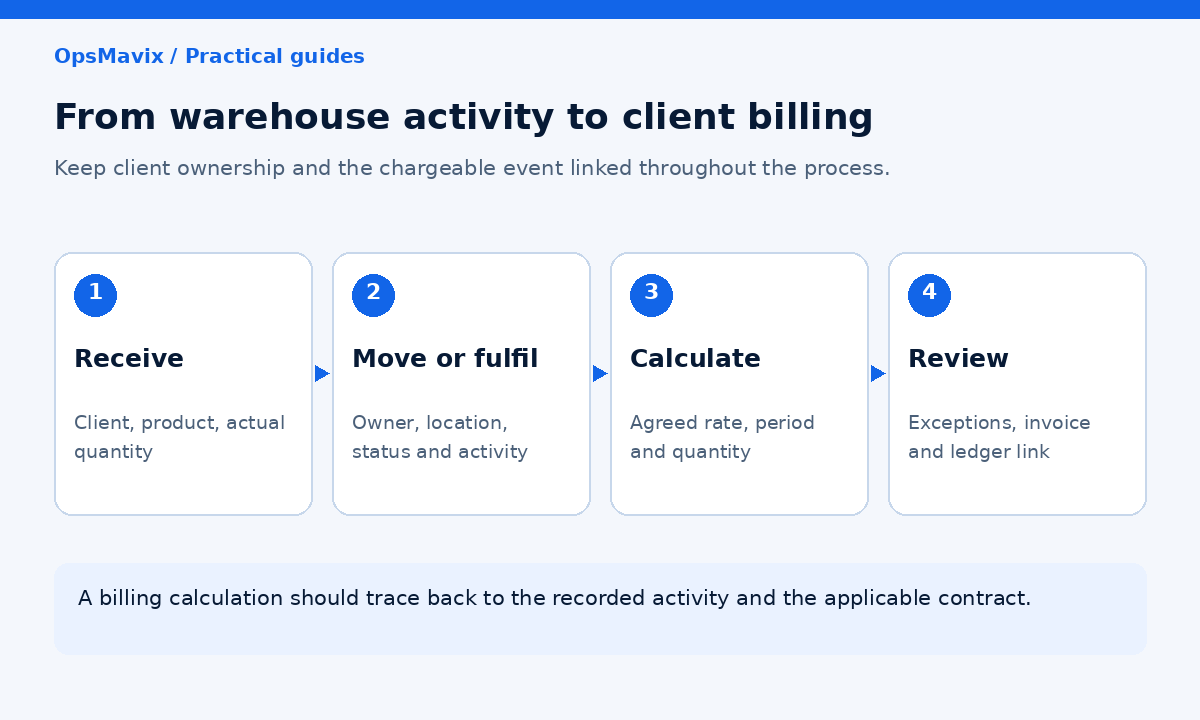
Evaluate the warehouse, billing and reporting workflow together before adding or replacing software.
Put the routes against the same test
| Route | Where it can fit | What to prove |
|---|---|---|
| Configure the current platform | Required records and functions already exist | Rules, access, reports and operator workflow |
| Integrate an additional tool | Warehouse execution works but another process is disconnected | Record ownership, supported interfaces and reconciliation |
| Adopt a packaged 3PL platform | Contracts and fulfilment fit supported workflows | Client separation, billing, integrations and exports |
| Implement a broader WMS or ERP | Multiple sites or wider business processes require it | End-to-end scope and delivery capability |
| Build a focused custom system | A valuable requirement remains unsupported | Validation, maintenance, handover and total cost |
There is no automatic winner. Our Mintsoft for 3PL guide explores the packaged route. Include your awkward contracts and exceptions in any comparison.
Distinguish poor configuration from a missing capability
A manual invoice may result from an unconfigured rate, unreliable event capture or an unsupported contract rule. Only the last of those necessarily calls for a different billing engine.
Investigate why the workaround exists before replacing the whole warehouse platform. A focused connection may close the gap with less migration.
Include wider requirements honestly
A full ERP may be suitable where purchasing, finance, production and warehouse records need a wider redesign. OpsMavix can build full ERP systems as well as focused workflows. The scope should follow the requirements.
7. Model Cost and Practical Ownership
Count the project and the ongoing work
Include licences, order-volume tiers, mobile users, implementation, integration, devices, training, support and migration. Check which costs change as clients, sites or volumes grow.
For a custom build, include hosting, backups, maintenance, monitoring and external connection fees. Owning the source does not make those dependencies disappear.
Use measured administration
If invoice preparation currently takes six hours per week and a pilot reduces it to two, the released capacity is four hours. At an illustrative £25 per hour over 48 weeks, that represents £4,800 of annual staff capacity.
It becomes a cash saving only if actual expenditure falls. Compare that measured benefit with the full project cost, and record assumptions rather than treating every discrepancy as lost revenue.
Make handover practical
Request sample exports with owners, products, quantities, activity history, rates and invoice links. Confirm how documents and historical records remain accessible after termination.
For custom software, agree source rights, deployment instructions, credentials, support responsibilities and the ability to appoint another maintainer. Test a restore and a usable export before cutover.
8. Pilot a Client Before Moving the Warehouse
Choose a representative scope
Use one client with enough complexity to exercise the workflow. A pilot containing only clean receipts and single-line orders will not prove a warehouse handling returns, kits and unusual storage charges.
Agree opening balances, ownership mappings, outstanding orders and unbilled activities. Decide which historic records migrate and which stay in a controlled archive.
Set acceptance criteria
The pilot should demonstrate that:
- Client quantities reconcile to agreed opening records.
- Receipts, moves and picks retain ownership and status.
- Restricted goods cannot fulfil an order outside the agreed route.
- Partial orders and cancellations update reservations correctly.
- Client access cannot reveal another client’s records.
- Billing matches sample contracts and cannot duplicate completed charges.
- Returns and kits retain an understandable quantity trail.
- Counts and corrections retain evidence and approval.
- Failed updates are visible and can be reconciled.
- Exports and recovery arrangements work in practice.
Cut over deliberately
Set a transaction cutoff, reconcile pending warehouse activity and define which system accepts new work. Avoid two independently editable stock records during the transition.
Expand after the team can explain quantities, resolve exceptions and reproduce the billing calculation. A successful screen demonstration is only one part of that evidence.
Frequently Asked Questions
What is 3PL inventory management software?
It manages goods held for client businesses, connecting ownership, quantities, warehouse activity and client reporting. Many platforms also support activity-based client billing and integrations.
Can a general inventory tool handle multiple owners?
Some can. Demonstrate ownership through receipts, reservations, dispatch, returns, counts and permissions. A client field alone does not establish the required controls.
Can two clients use the same product code?
Yes, if the system distinguishes each client’s catalogue and stock identity. Test identical codes and identical products so neither orders nor quantities cross accounts incorrectly.
Does a client portal guarantee current stock?
No. Its information depends on recorded movements and successful connections. Define the quantity shown and make pending or failed updates visible.
Can 3PL software automate client billing?
Many packaged platforms support it. Check your actual rates, periods, minimums, corrections and accounting connection before assuming either complete fit or a need for custom development.
Should returned goods become available immediately?
Only where the approved process permits it. Record receipt separately from inspection and release, retaining the client and order relationship.
Do we need a full WMS or ERP?
That depends on the warehouse and wider business requirements. A focused platform may be sufficient; multi-site execution, production or finance changes may justify broader scope.
Is a custom system cheaper?
Not necessarily. Compare implementation, maintenance, migration, external services and remaining administration over the same period. Ownership is a contractual and practical consideration, not a guarantee of lower cost.
Where should we start?
Bring one client contract, a receipt, an order, a return and the resulting invoice. Trace where ownership, activity or charging becomes unclear, then test the simplest route that resolves it.
How OpsMavix Can Help
OpsMavix builds inventory and warehouse systems around the records and decisions a team needs to control its operation.
We map ownership, receiving, reservations, returns and chargeable activity, then assess configuration, integration and custom development against the demonstrated gaps. The scope can be a focused workflow or a full ERP where wider requirements justify it.
OpsMavix can help you:
- Define client, product, location and status records.
- Connect movements to the correct owner and order.
- Structure contract rates and inspectable billing calculations.
- Build client reporting with appropriate access controls.
- Surface failed updates and unresolved discrepancies.
- Plan count controls, migration checks and practical handover.
If reconciling client stock or rebuilding invoices has become routine, book an Operations Leak Audit. Bring the records behind one recent problem so we can assess its cause, cost and suitable next step.
Keep reading
Getting value from OpsMavix? Add us as a preferred source on Google — you'll see more of our operations content in your AI Overviews, AI Mode and Search.