
Stockroom Plus Alternative: When You Hit the App's Ceiling
Stockroom Plus (Stockroom Inventory Plus) is a tidy, affordable barcode inventory app that's genuinely good when you're small. You go looking for a Stockroom Plus alternative when you bump into its edges — the 5,000-item ceiling even on the top plan, no built-in sales or purchase-order workflow, a single-developer vendor. The honest fix isn't a different app with the same shape. It's a system built around how you actually run, that you own.
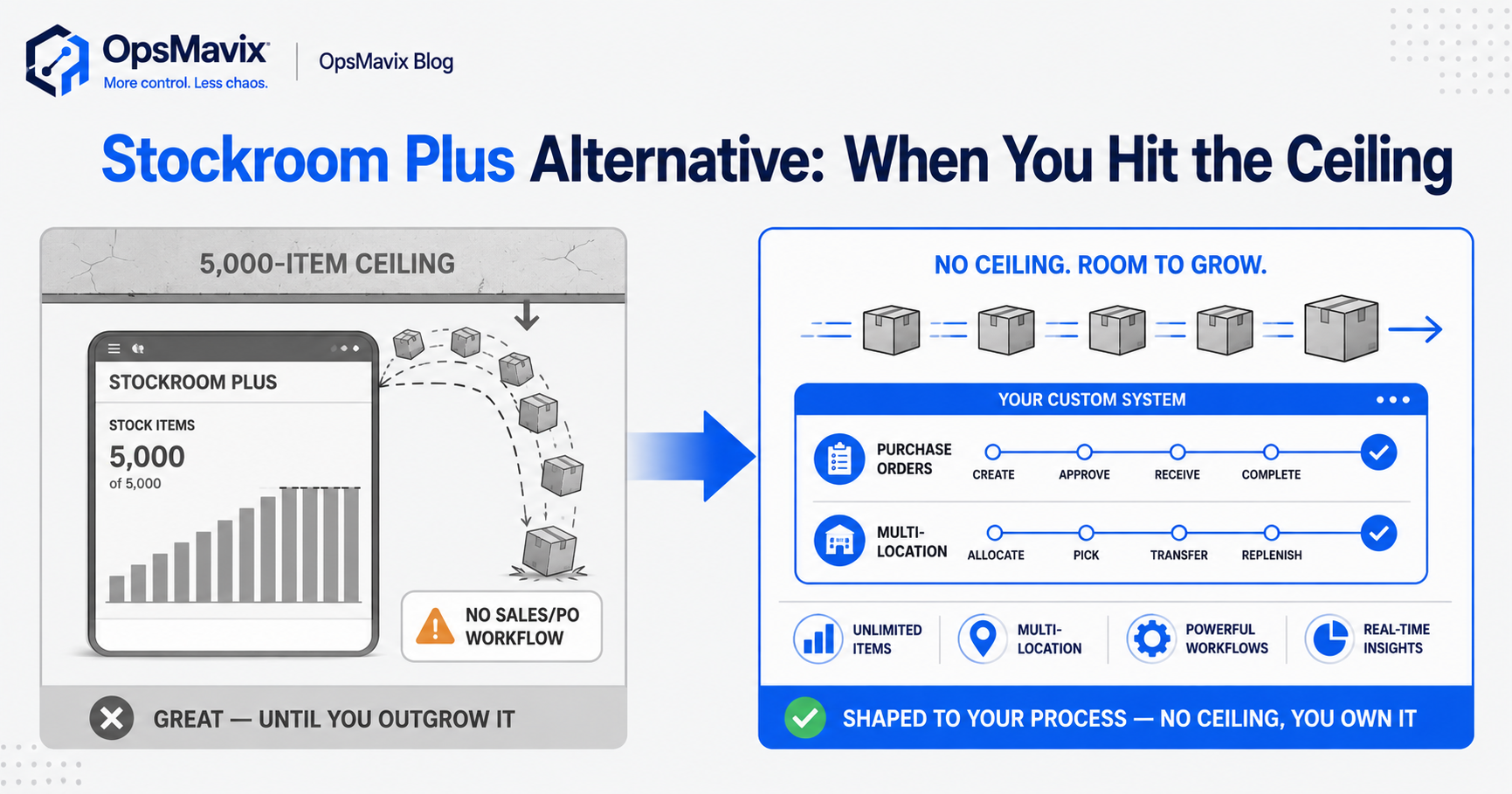
The best Stockroom Plus alternative depends on one honest question: have you actually hit the app’s limits, or do you just want more features? Stockroom Plus — properly called Stockroom Inventory Plus — is a tidy, barcode-friendly inventory app for small businesses, with custom item templates, folders, team roles, low-stock alerts and CSV import/export, priced from free up to $49.99 a month. For a small retail, warehouse or eCommerce operation it’s a sensible pick, and there’s no shame in a cheap app that does the job. You only need an alternative when you bump into its edges: a hard item ceiling that caps at 5,000 even on the top Ultra plan, no built-in sales tracking or purchase-order workflow, and a single-developer vendor behind the whole thing. Those aren’t bugs — they’re the boundaries of what a fixed app is built to be. The alternative isn’t a different app with the same shape. It’s a system built around how you actually run, that you own outright.
This post covers when Stockroom Plus is genuinely the right tool, the specific signs you’ve outgrown it, and what a built-for-you system changes. The wider “do I need a custom inventory system at all” question lives in custom inventory systems; this is the point-app-versus-built-for-you layer of it.
Key Takeaways
- Stockroom Plus is a good, cheap barcode inventory app when you’re small — single location, modest item count, basic stock tracking. Don’t replace it before you’ve actually hit a wall.
- Its real limits are structural: a hard 5,000-item ceiling even on the $49.99 Ultra plan, no built-in sales or purchase-order workflow, and one developer behind the product.
- The trigger to leave isn’t “we want more features.” It’s a specific pain you can name and cost — item count you can’t fit, a process the app can’t model, a workflow you’re running in side spreadsheets.
- A fixed app makes you bend your process to its shape. A custom system is shaped to your process instead.
- The alternative to a point app isn’t another point app. It’s a system you own, with no item ceiling and no vendor who can change the rules.
When Stockroom Plus Is the Right Tool
Be fair to the cheap option, because most comparison posts aren’t. If you run a small operation — one location, an item count comfortably under a few thousand, barcode scanning, low-stock alerts, a couple of people who touch the stock — Stockroom Plus does exactly what it sets out to do, and it does it well. Custom item templates and fields let you describe your stock your way. Folders up to three levels deep keep it organised. Roles and permissions cover a small team. CSV in and out means you’re not locked in. At a free tier and paid plans that top out at $49.99 a month, it’s affordable in a way custom anything will never be — and its App Store rating, strong but from a small base of roughly sixty reviews, reflects a tool that does its narrow job well.
You go looking for an alternative when your operation stops fitting inside those edges. The pattern we see is a business that’s grown past the app without quite noticing — more items, more steps, a process the tool can’t represent — and the neat little app that was a relief at the start is now the thing everyone works around with side spreadsheets. The questions below aren’t “is the app bad.” They’re “has my operation outgrown what a fixed app is built to do.”
1You’re Closing In on the Item Ceiling
This is the cleanest hard limit Stockroom Plus has, and it’s worth stating plainly: even the top Ultra plan at $49.99 a month caps at 5,000 items. The lower plans cap far sooner — Plus at 1,500, Basic at 800. For a lot of small businesses that’s plenty, but stock counts have a way of creeping. Add variants, add a second supplier’s range, add packaging and components, and 5,000 distinct items arrives faster than you’d think. When you’re managing your catalogue to stay under a number the software imposes, the software is now managing you.
A system built for you has no item cap, because the limit was never a feature of your business — it was a feature of a price plan. See why a SKU tracker has to scale with your range for what changes when the count is yours, not the vendor’s.
2You Need Sales and Purchase Orders, Not Just a Count
Stockroom Plus omits sales tracking and purchase-order management by design — that’s a deliberate positioning choice, not a defect, and the vendor is honest that it’s an inventory tracker, not a back-office. The trouble starts when your operation actually needs those workflows. If you’re raising purchase orders to suppliers, tracking what’s on order versus what’s arrived, or tying stock movements to actual sales, a pure counting app can’t do it, so the work leaks into spreadsheets and email beside the app. Now your real process lives in three places and the tidy app is just one of them.
A built-for-you system models the workflow you actually run — stock, the orders that move it, and the purchases that replenish it — as one flow, not a count over here and the real work over there. That join is the line between a tracker and a system; more on it in what changes when stock and orders connect.
3Your Process Doesn’t Fit the App’s Shape
Custom fields and templates are flexible, but they’re flexible within one fixed shape — items, folders, quantities, alerts. The moment your operation has a step the app doesn’t model — a kit you assemble from components, a batch you track by expiry, a goods-in inspection, a stock move that has to trigger something else — you’re stuck bending your process to fit the tool, or running the bit it can’t do by hand. A fixed app is a set of someone else’s decisions about how inventory should work, and they’re good decisions for the average small business. They stop being good ones the moment your business isn’t average.
This is the core difference between a point app and a system: one makes you fit it, the other is fit to you. The deeper version of that argument is in barcode inventory done around your workflow.
4One Developer Is Behind the Whole Thing
Stockroom Plus is built by a single-developer LLC, live since 2021. That’s not a knock — small vendors ship genuinely good software and this one clearly has. But it’s a fact worth weighing when the app becomes load-bearing for your business. A one-person vendor is one person’s availability, one person’s roadmap, one person’s call on which features exist and what plans cost. You don’t get a say, and if priorities change, the tool your operation runs on changes with them. The smaller the vendor, the more your continuity depends on someone you’ve never met staying interested.
When you own the system, that risk is gone: the process is built around you, the code is yours, and no single outside party decides its future. That’s the difference between renting a shape and owning a fit.
5The Real Trigger Isn’t Features — It’s a Pain You Can Cost
Here’s the contrarian bit, because it’s the one that saves money: the reason to leave Stockroom Plus is never “I want more features” or “we’ve grown, we should have proper software.” That instinct sells a lot of inventory tooling to businesses that didn’t need it. The only honest trigger is a specific pain you can name and put a number on — an item count you genuinely can’t fit, hours a week running purchase orders or sales in side spreadsheets the app can’t hold, a process step done by hand that keeps going wrong. If you can’t write the £ figure, you probably haven’t outgrown the app yet, and switching is a cost with no return. If you can, the cheap app is already costing you more than a right-sized system would — it’s just billing you in workarounds and errors instead of an invoice.
Stockroom Plus vs a Built-For-You System
| Stockroom Plus (point app) | Custom OpsMavix System | |
|---|---|---|
| Cost | $0–$49.99/mo (vendor’s USD list) | Fixed build (£3k–£25k range) |
| Best for | Small ops, basic barcode stock tracking | Outgrown the app; real process complexity |
| Item count | Capped — up to 5,000 even on top plan | No item ceiling |
| Sales / purchase orders | Omitted by design | Modelled as part of one flow |
| Process fit | Your process bends to the app’s shape | The system is shaped to your process |
| Vendor | Single-developer LLC | Built for you; code is yours |
| Integrations | CSV import/export | Connected to the tools you already run |
| Ownership | A subscription you rent | A system you own outright |
| Right when | Small and within the app’s limits | The job has outgrown a fixed app |
Common Questions
Is Stockroom Plus actually any good?
For what it’s for, yes. As an affordable, barcode-friendly inventory app for a small retail, warehouse or eCommerce operation, it does basic stock tracking well — custom templates, folders, roles, low-stock alerts, CSV in and out, and a free tier to start. It stops being the right tool when your operation grows past what a fixed app is built to do: when you approach the 5,000-item ceiling, need sales or purchase-order workflows it omits by design, or have a process the app can’t model. That’s not a flaw; it’s just the boundary of a point app.
When should I move off Stockroom Plus?
When you can name a specific pain and put a £ figure on it — an item count you can’t fit under the plan cap, hours lost running purchase orders or sales in spreadsheets the app doesn’t cover, a process step done by hand that keeps causing errors. If you can’t write that number down, you probably haven’t outgrown it yet, and switching is cost with no payback. If you can, the cheap app is already costing you more than a right-sized system would; it’s just billing you in workarounds and time instead of an invoice.
Is the alternative to Stockroom Plus just another inventory app?
Usually not, and that’s the point. Swapping one fixed app for another gets you the same ceilings and the same shape under a different name — a different item cap, a different vendor’s decisions about what your inventory process should look like. If you’ve genuinely outgrown the point-app category, the alternative is a system built around how you actually run — your item count, your sales and purchase flow, your process steps — that you own outright, rather than a generic tool you bend yourself around.
Do I need a full ERP instead?
Often no. There’s a wide gap between a cheap point app and a heavyweight ERP with the price tag and complexity that come with it. A right-sized built-for-you system sits in that gap: shaped to your operation, connected to the tools you already use, with no item ceiling and nothing a vendor can change on you — but without the cost and overhead of an ERP you’ll use a fraction of. The right size is the one that matches the operation you actually run today.
Will I lose the simplicity I liked about the app?
You shouldn’t. The reason Stockroom Plus feels good when you’re small is that it’s simple and the people using it actually use it — and that’s exactly what a right-sized build is meant to keep. The difference is the simplicity is shaped to your flow instead of a generic one, so it stays simple as you grow rather than becoming the thing everyone works around with side spreadsheets.
How OpsMavix Can Help
OpsMavix builds right-sized inventory systems for businesses that have outgrown a fixed point app like Stockroom Plus but don’t need — or want to pay for — a heavyweight ERP. We build around how you actually run: no item ceiling, the sales and order management a counting app leaves out, the process steps a fixed shape can’t model, and a connection into the tools you already use instead of a side spreadsheet holding the bits the app can’t. You own it outright — shaped to your process, with no outside vendor deciding its future.
If you’re not sure whether you’ve genuinely hit the app’s limits or just feel like you should have something bigger, start by seeing where the work actually leaks. Book a Free Operations Leak Audit and we’ll map where the item cap, the missing workflows and the manual workarounds are costing you today, in pounds.