
Still Running Your Wholesale Business in the Stone Age? Meet Modern ERP
Still checking spreadsheets before promising a delivery? Discover what wholesale ERP should handle, how to compare costs and where to start with a system built around your operation
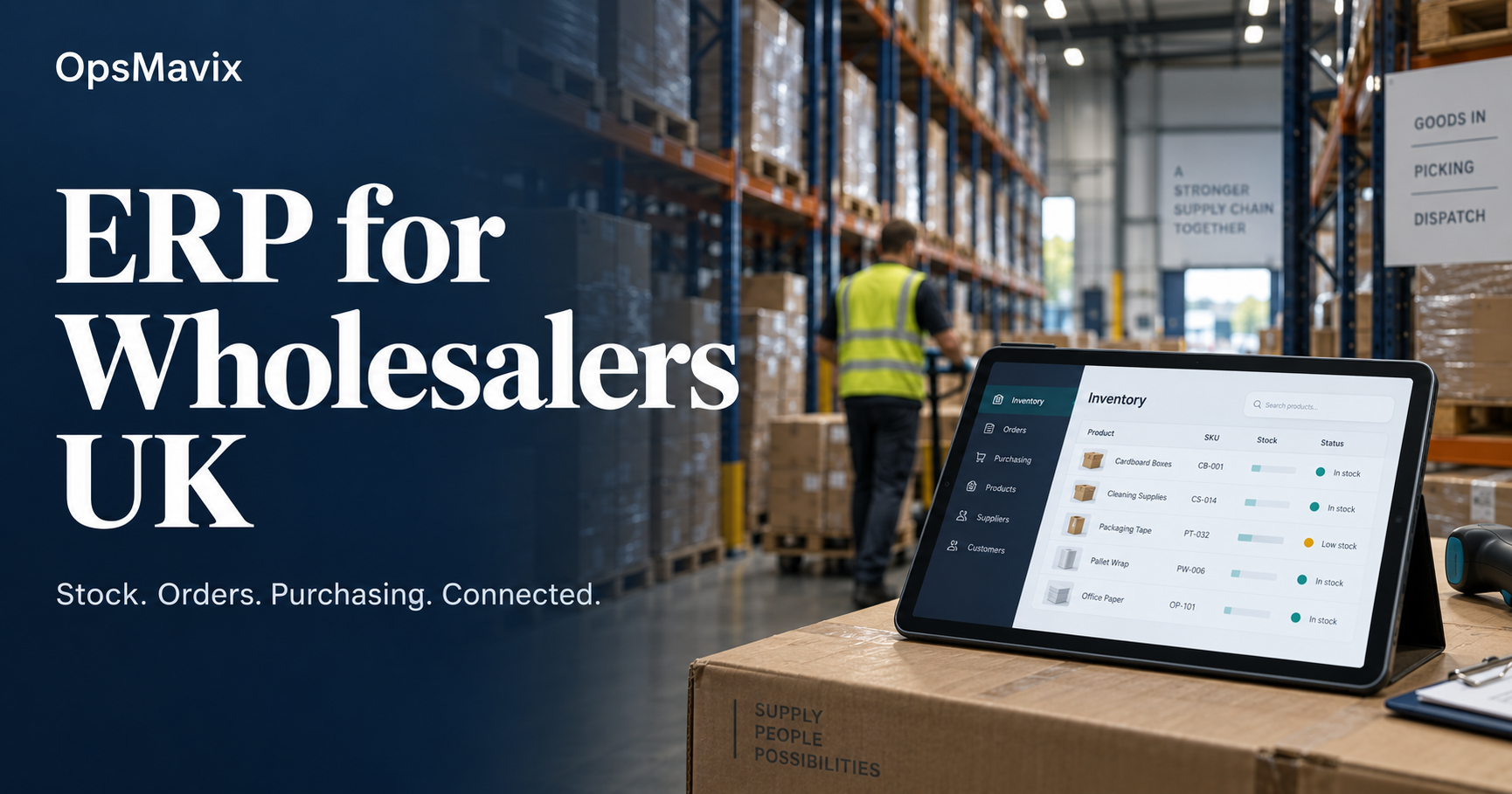
Good ERP for wholesalers UK businesses can rely on is one system, or a supported set of systems, that can hold your trade prices, pack sizes, stock commitments, purchasing and VAT records without anyone re-typing them. The test is not whether a product calls itself wholesale ERP. It is whether it can process your awkward orders and still produce records your finance team can submit to HMRC.
The practical problem is that most UK wholesalers start the search from a vendor list rather than from their own requirements. Demonstrations then show tidy sample data, quotes compare licences rather than total cost, and Making Tax Digital is treated as a checkbox. This guide works the other way round: requirements first, then the UK compliance baseline, then vendors, cost and a pilot.
Wholesale ERP has to reflect what is physically on the shelf and what is already promised. Illustrative photograph, not an OpsMavix project.
Image credit: Brian Wangenheim, Unsplash License. No edits.
Key Takeaways
- Write wholesale requirements as testable scenarios before you look at any vendor.
- HMRC requires VAT-registered businesses to keep digital records and use digital links between programs.
- UK options include Sage 200, Business Central, Khaos Control and Klipboard, each sold and supported differently.
- In our hypothetical three-year model, licences are under a quarter of the total cost.
- Run the same scripted demonstration with every supplier and score the gaps.
- Pilot with real open orders and opening stock before switching the whole business over.
In this guide:
- 1. Define Wholesale Requirements Before Vendors
- 2. Understand the UK VAT and MTD Baseline
- 3. Review UK Wholesale ERP Options
- 4. Compare Packaged ERP and Custom Routes
- 5. Model the Three Year Total Cost
- 6. Run a Scripted Wholesale Demonstration
- 7. Plan Data Migration and Integrations
- 8. Pilot Before Full Rollout
- Frequently Asked Questions
- How OpsMavix Can Help
1. Define Wholesale Requirements Before Vendors
Describe the orders you actually process
A requirement such as “inventory management” tells a supplier nothing. A requirement such as “a trade customer orders 3 cases and 7 single units of the same product at a contract price, and the warehouse picks from two locations” can be demonstrated, priced and accepted.
Start with five to ten real orders from the last quarter: a normal repeat order, a large order with a shortage, a credit-held account, a return, a price dispute and a supplier delivery that arrived short. Remove sensitive details and keep the structure.
Separate the wholesale-specific capabilities
| Requirement area | What to specify | Typical failure if left vague |
|---|---|---|
| Trade pricing | Default list, customer and group prices, quantity breaks, contract dates | Staff keep the real prices in a spreadsheet |
| Pack sizes | Each, inner, case and pallet conversions for stock, price and cost | A case price is applied to a unit quantity |
| Stock status | On hand, reserved, quarantined, available and incoming | Sales promise stock already committed |
| Purchasing | Lead times, minimum order quantities, open purchase orders | Duplicate orders for covered shortages |
| Credit control | Limits, overdue rules and who can release a hold | Held orders reach the picking queue |
| Traceability | Batch, expiry or serial numbers where your products need them | Recalls rely on paper records |
| Finance handoff | Invoices, credit notes, VAT treatment and accounting destination | Totals that do not reconcile at month end |
Our guide to wholesale pack size management covers unit conversions in more depth.
Worked example: a hypothetical availability check
A hypothetical distributor holds 1,440 units of a product, stored as 120 cases of 12. Open orders reserve 65 cases. A further 8 cases are quarantined after a damaged delivery. A supplier delivery of 40 cases is due next week.
| Calculation step | Cases | Units |
|---|---|---|
| On hand | 120 | 1,440 |
| Less reserved for open orders | -65 | -780 |
| Less quarantined | -8 | -96 |
| Available to promise now | 47 | 564 |
| Incoming, shown separately | 40 | 480 |
The arithmetic is 120 - 65 - 8 = 47 cases, and 47 x 12 = 564 units. A customer asking for 60 cases can be offered 47 now and 13 from the incoming delivery, but only if the system shows those two figures separately rather than adding them into one “in stock” number.
2. Understand the UK VAT and MTD Baseline
What HMRC requires
Making Tax Digital for VAT now applies to all VAT-registered businesses. HMRC’s extension notice set the start for businesses not already covered as their first VAT period starting on or after 1 April 2022.
VAT Notice 700/22 explains the practical rules. Records must be kept and preserved digitally in functional compatible software, which can be one program or a set of programs. Where data moves between programs, it must move by a digital link. HMRC states that copy and paste, or manually transferring data within or between software programs, is not acceptable.
The notice also lists the records that must be held digitally. These include designatory data such as your VAT registration number and principal place of business, and for each supply made, the time of supply, the value excluding VAT and the rate of VAT charged. For supplies received, it lists the time of supply, the value and the input tax you will claim.
What that means for a wholesale ERP project
| MTD point | Question for the supplier | Evidence to request |
|---|---|---|
| Compatible software | Which product submits the VAT return, and is it on HMRC’s finder? | The product name and edition used for submission |
| Digital links | How do invoices move from the operational system to accounts? | A live integration, not an export someone re-keys |
| Credit notes | Do credits carry the original VAT rate and date? | A demonstrated credit for a partial return |
| Mixed rates | Can one order carry lines at different VAT rates? | A test order your accountant has reviewed |
| Corrections | How is a posted invoice corrected? | The audit trail after a reversal |
HMRC provides a search service for compatible software, and says it can only advise on the legal requirements rather than on specific products. Treat a supplier’s MTD badge as a starting point and ask your accountant to confirm the end-to-end process.
A practical digital link check
Suppose a hypothetical wholesaler takes orders in an operations system and files VAT from separate accounting software. If invoices are exported to a spreadsheet, edited and then uploaded, the edit step is the weak point. A supported integration or a direct import of an unaltered file removes the manual change. Ask your adviser how HMRC’s rules apply to your exact process.
3. Review UK Wholesale ERP Options
Products verified on vendor websites
The products below are examples, not a ranking. Each claim was checked on the vendor’s own site in October 2026. Capabilities vary by edition, partner and configuration, so confirm the details in your own demonstration.
| Product | Supplier and UK presence | What the vendor states | Points to confirm |
|---|---|---|---|
| Sage 200 | Sage, sold through accredited business partners | Stock management, purchase order management, sales order management, warehouse management, returns; shown as Making Tax Digital compatible | No public price; scope and cost depend on the partner |
| Dynamics 365 Business Central | Microsoft, purchased through partners | Inventory, warehouse picking and put-away, sales orders, purchasing and financials; UK prices published | Partner implementation and add-on apps add to the licence |
| Khaos Control | Khaos Control, Grantham, England | Multi-site warehouse control, batch traceability, back orders, wholesale pricing and promotions; VAT returns via MTD and a Xero integration | No public price on the pages reviewed; credit control not listed on the wholesale page |
| Klipboard ERP One and ERP Go | Kerridge Commercial Systems Ltd trading as Klipboard, UK head office | ERP One as its enterprise solution and ERP Go as a cloud option for SMEs; contract pricing, multi-branch visibility, stock and purchasing | MTD not mentioned on the page reviewed; confirm the finance route |
Microsoft’s UK pricing page lists Business Central Essentials at £61.50, Premium at £84.60 and Team Members at £6.20, each per user per month, paid yearly and excluding VAT. It directs buyers to a partner for purchase, consulting and additional pricing.
Read vendor pages carefully
A vendor page tells you what a product can do in some configuration. It does not tell you whether your edition includes it, whether a partner has implemented it for a wholesaler like you, or what it costs to set up. Record each claim with its source and ask for the same capability in the demonstration.
For a broader view of when a full distribution suite is more than you need, see our sibling guides on wholesale distribution software and distribution ERP software.
4. Compare Packaged ERP and Custom Routes
Match the route to the gap
| Approach | When it fits | Main limitation to test |
|---|---|---|
| Configure current tools | Your accounting and stock tools already hold most of the data | Whether settings can enforce price, credit and pack rules |
| Integrate existing systems | Each tool works but orders are re-keyed between them | Record ownership, failed transfers and reconciliation |
| Packaged wholesale ERP | Your processes broadly fit an established product | Gaps that require extensions, partner development or workarounds |
| Focused custom application | One valuable workflow, such as trade pricing or order capture, needs a closer fit | Maintenance, documentation and the integration to accounts |
| Full ERP, packaged or custom | Several connected processes need one shared model | Delivery capacity, migration effort and long-term support |
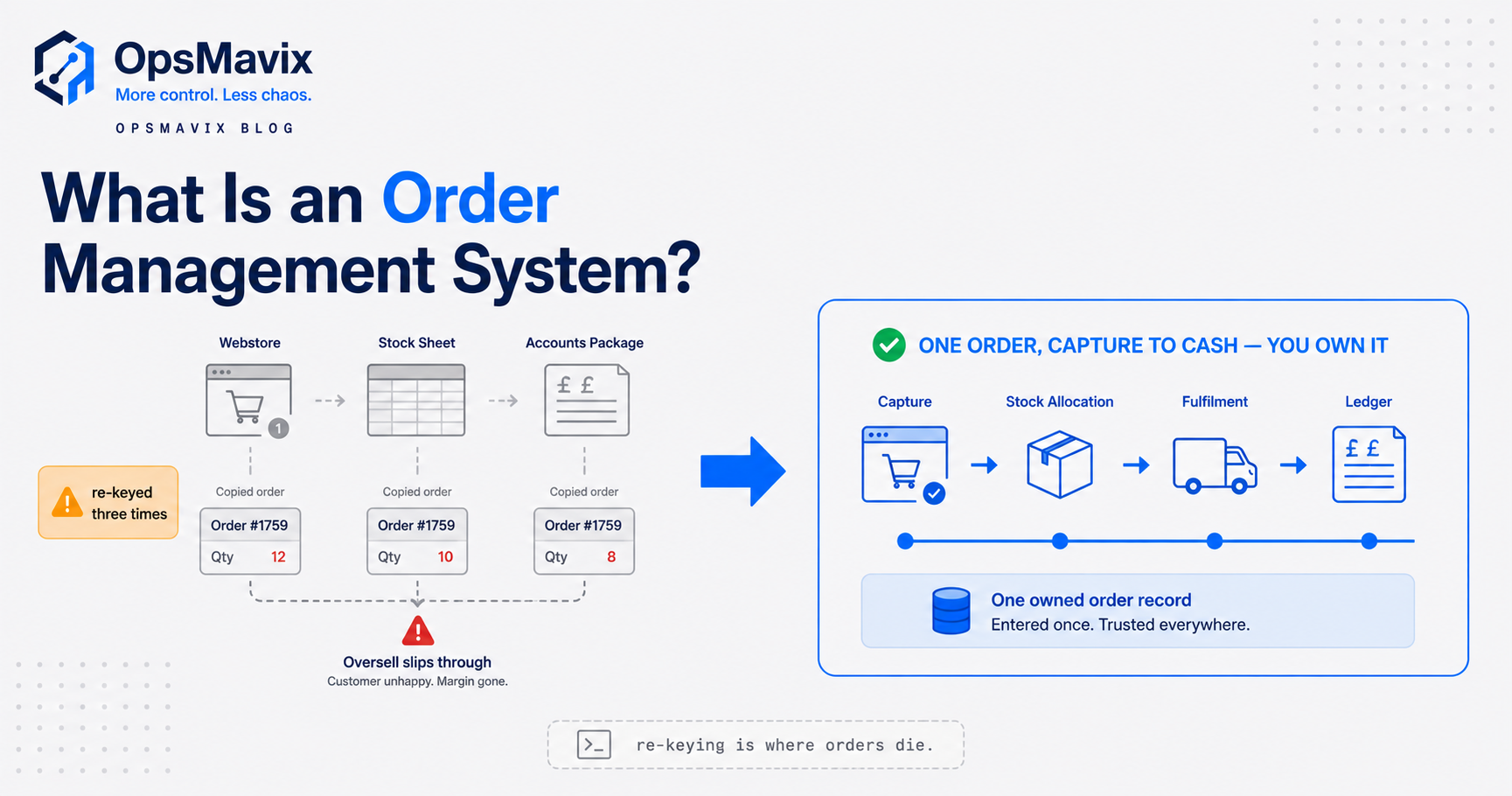
If re-keying between orders and accounting is the main pain, our guide to wholesale management software focuses on that single thread. If the question is what your accounting package should keep doing, see wholesale accounting software.
Be fair to both models
Packaged ERP brings established functions, a supplier roadmap and a partner ecosystem. It also brings per-user licences, edition boundaries and a dependency on the partner’s skill. A custom system can follow your exact pricing and order rules, but someone must maintain it, document it and keep its MTD-relevant integration working. Neither is automatically cheaper or more flexible.
5. Model the Three Year Total Cost
List every cost line
| Cost area | What to include |
|---|---|
| Licences or build | Users by type, modules, add-on apps, or the build fee |
| Implementation | Process design, configuration, partner days and development |
| Data migration | Cleaning, mapping, importing and reconciling opening balances |
| Integrations | Accounting, ecommerce, carriers, EDI and their monitoring |
| Internal time | Testing, training, process ownership and cutover |
| Running costs | Hosting, support plans and third-party services |
| Changes | New workflows, sites and upgrades over the period |

Every boxed product carries cost, price and VAT data that the system must keep consistent. Illustrative photograph, not an OpsMavix project.
Image credit: Ant Rozetsky, Unsplash License. No edits.
Worked example: a hypothetical packaged ERP budget
A hypothetical wholesaler has 8 office and buying staff who need full access and 6 warehouse staff who need limited access. Using Microsoft’s published Business Central UK prices, the licence lines are:
- Full users: 8 x £61.50 x 12 months = £5,904.00 a year
- Limited users: 6 x £6.20 x 12 months = £446.40 a year
- Licences per year: £5,904.00 + £446.40 = £6,350.40
- Licences over three years: £6,350.40 x 3 = £19,051.20
Whether Team Members access covers your warehouse tasks is a licensing question to confirm with the partner. The remaining figures below are hypothetical assumptions, not quotes.
| Three-year cost line (hypothetical) | Amount |
|---|---|
| Licences, from published prices | £19,051.20 |
| Partner implementation | £30,000.00 |
| Data migration and reconciliation | £6,000.00 |
| Add-on apps at £150 a month for 36 months | £5,400.00 |
| Partner support at £4,000 a year | £12,000.00 |
| Internal time, 300 hours at £30 an hour | £9,000.00 |
| Three-year total | £81,451.20 |
In this hypothetical case the licences are £19,051.20 of £81,451.20, about 23% of the total. The other 77% sits in implementation, migration, support, apps and staff time. All figures exclude VAT.
Use the same model for every option
Apply the same lines to a custom build or another package. For example, OpsMavix’s published pricing shows builds priced to scope, first systems from £4,950, with no per-seat fees, a separately priced Control Care plan at £300 a month and hosting paid directly to the provider. A real quote depends on scope, so put each supplier’s figures into one sheet and compare the totals over the same period.
6. Run a Scripted Wholesale Demonstration
Give every supplier the same script
Send the scenarios in advance, with your sample products, customers and prices. Ask suppliers to run them live in their own system rather than presenting slides.
- A repeat order mixing cases and single units at a customer contract price.
- A quantity break that changes the price at a stated quantity.
- A shortage split between stock on hand and an incoming purchase order.
- A credit-held account that cannot be released by an unauthorised user.
- A partial despatch leaving an accurate backorder.
- A return inspected before it becomes available stock.
- A credit note reaching the accounting system once, with the right VAT rate.
- A failed integration message that is visible, corrected and reconciled.
- A VAT return prepared from the resulting records, as your accountant would review it.
Score the gaps consistently
| Score | Meaning | Follow-up |
|---|---|---|
| Demonstrated | Shown working with your data | Record the edition and settings used |
| Configurable | Possible with setup not yet done | Ask who configures it and the cost |
| Development | Needs an extension or custom work | Ask for an estimate and who maintains it |
| Unsupported | Not available | Decide whether a workaround is acceptable |
A supplier that marks several scenarios as development is not necessarily wrong for you, but those items belong in the cost model in section 5.
7. Plan Data Migration and Integrations
Clean the records before you move them
Migration is where many projects lose time. Resolve duplicate product codes, inconsistent units of measure, expired prices and incomplete supplier records first. Agree how opening stock, open sales orders, open purchase orders and unpaid invoices will be transferred and reconciled.
Write an integration register
| Connection | System that owns the record | Direction | Failure handling to agree |
|---|---|---|---|
| Customers and prices | ERP or operations system | Out to portal or website | Who fixes a rejected price update |
| Sales invoices | ERP or operations system | Into accounts | Duplicate prevention and VAT rate mapping |
| Payments received | Accounting software | Back to the operational system | How credit holds are released |
| Carrier labels and tracking | Carrier service | Into the order | What happens when a label fails |
| Supplier price files | Supplier | Into purchasing | Validation of units and pack sizes |
Every connection that carries VAT-relevant data is part of your digital link chain, so include it in the accountant’s review.
8. Pilot Before Full Rollout
Choose a representative slice
Pick one product range, one warehouse or one customer group that includes contract prices, pack conversions and at least one return. Run the pilot with real opening balances, because an empty test company cannot prove a reconciliation.
Acceptance checklist
- Opening stock reconciles to the physical count by product and location.
- Open orders and purchase orders transfer with the right quantities and prices.
- Contract prices and quantity breaks apply without manual lookup.
- Available to promise figures match a manual check on sample products.
- Credit holds block release for unauthorised users.
- Invoices and credit notes reach accounts once, with correct VAT.
- The accountant has reviewed the MTD record and submission route.
- Failed integration messages are visible and have a named owner.
Expand only once the pilot passes. Keep a short weekly review of exceptions for the first months so problems surface while they are still small.
Frequently Asked Questions
What is ERP for wholesalers?
It is software, or a connected set of systems, that coordinates trade orders, pricing, stock, purchasing, warehouse work and finance for a wholesale business. The wholesale part is the handling of contract prices, pack sizes, credit terms and backorders.
Does wholesale ERP software need to be MTD compatible?
The software that keeps your VAT records and submits returns must meet HMRC’s Making Tax Digital rules. If your ERP passes invoices to separate accounting software, that transfer must be a digital link rather than copy and paste.
Which ERP systems are available to UK wholesalers?
Options include Sage 200, Microsoft Dynamics 365 Business Central, Khaos Control and Klipboard ERP One or ERP Go, among others. Each is sold and supported differently, so compare them with the same scripted demonstration.
How much does ERP for a UK wholesaler cost?
It depends on users, modules, partner work and migration. Business Central publishes UK licence prices, but most vendors quote through partners. In our hypothetical example, licences were about 23% of a three-year total.
Do we need a full ERP or a smaller system?
Not always. If one workflow causes most of the rework, configuring current tools or building a focused application may be enough. A full ERP makes sense when several connected processes need one shared model.
Can we keep Xero or Sage accounts alongside a wholesale system?
Often yes, provided a supported integration carries invoices, credits and payments without manual re-keying. Test VAT rate mapping, credit notes and duplicate prevention before go-live.
How long does a wholesale ERP implementation take?
That depends on scope, data quality, integrations and testing. Ask each supplier for milestones, responsibilities and acceptance criteria based on your scenarios rather than a generic timeline.
Can OpsMavix build a wholesale ERP?
Yes. OpsMavix can build focused applications or a full custom ERP, and can configure or integrate suitable existing tools where those approaches fit the requirements.
How OpsMavix Can Help
OpsMavix can turn your real orders into testable requirements, review where trade pricing, stock and VAT records break between systems, and define the scope of the right system.
That may mean connecting your accounts to a wholesale order management system, improving stock control with an inventory automation system, adding invoice approval workflow automation for supplier bills, or developing a full custom ERP.
Contact OpsMavix with one recent trade order that needed manual correction, the records behind it and the handoff that creates the most rework. We can use that evidence to define requirements and a practical pilot.
Keep reading

Getting value from OpsMavix? Add us as a preferred source on Google — you'll see more of our operations content in your AI Overviews, AI Mode and Search.