
Why Spreadsheets Stop Working as Your Business Grows
Spreadsheets are useful when a business is small, but as operations grow, they can create confusion, delays, reporting problems, and lost visibility.
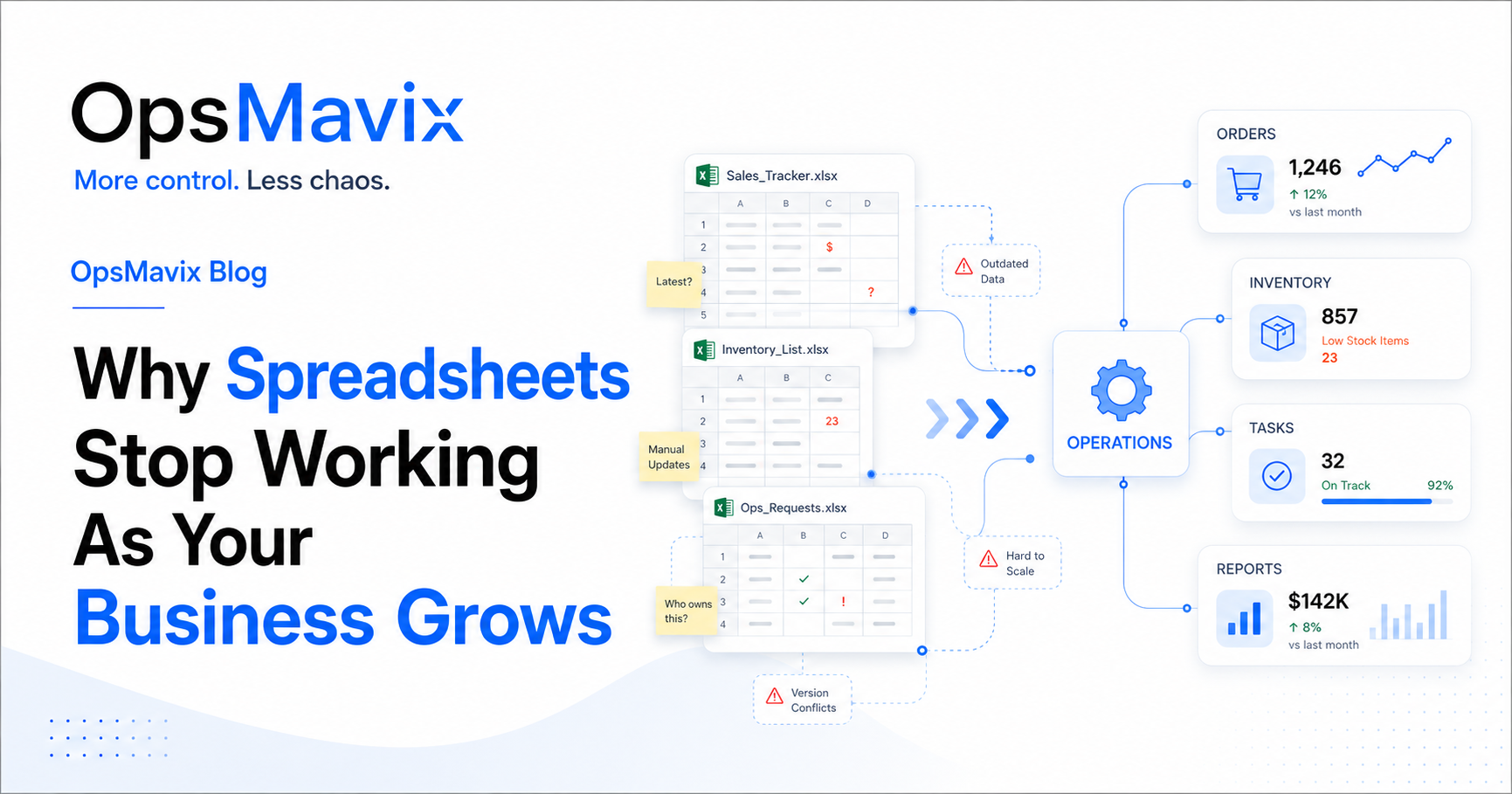
Spreadsheets are useful when a business is small. They are simple, flexible, and easy to start with.
Many businesses use spreadsheets to track orders, stock, customers, tasks, reports, invoices, and daily updates. At the beginning, this usually works well because the team is small and the process is still easy to follow.
But there comes a point where spreadsheets stop working as your business grows. More people need access, more data is added, more versions appear, and the business starts depending on manual updates that are easy to miss.
The problem is not the spreadsheet itself. The problem starts when spreadsheets become the main system used to run important daily operations.
1Spreadsheets Stop Working When Too Many People Update the Same File
When one person manages a spreadsheet, it is easier to control. But when many people start updating the same file, mistakes become more likely.
Common problems include:
-
Someone updates the wrong cell
-
Someone works from an old version
-
Someone forgets to update the status
-
Someone creates a duplicate file
-
Someone deletes or overwrites important information
-
Someone changes a formula without realizing it
As the business grows, the spreadsheet becomes harder to protect. The team may not know which version is correct, who changed what, or whether the latest update has been added.
A growing business needs better control over ownership, access, status, and change history. Spreadsheets can support a process, but they should not become the place where everything depends on manual updates.
2The Team Stops Trusting the Numbers
One of the clearest signs that spreadsheets are holding the business back is when the team no longer trusts the numbers.
This often happens with:
-
Stock quantities
-
Order status
-
Customer details
-
Delivery updates
-
Task lists
-
Sales reports
-
Finance reports
For example, the spreadsheet may say a product is available, but the warehouse cannot find it. Or the file may say an order is complete, but the customer has not received an update.
When people do not trust the data, they start asking others for confirmation. This creates repeated communication, delays, and extra manual work.
A growing business needs one reliable source of truth. If your team is checking spreadsheets, messages, and personal notes before making a decision, the process is already becoming too fragile.
For product-based businesses, an inventory automation system can help make stock data easier to trust and manage.
3Spreadsheets Stop Working When Reports Take Too Long
Reports should help owners and managers make better decisions. But in many growing businesses, reporting becomes a manual task that takes hours or days.
This usually happens because the data is spread across different places:
-
Sales data in one file
-
Stock data in another spreadsheet
-
Finance data in accounting software
-
Tasks tracked by email
-
Customer notes in messages
-
Production updates in another tool
Someone has to collect the data, clean it, check it, copy it, and prepare the report. By the time the report is ready, the information may already be outdated.
This makes the business slower. Instead of seeing what is happening now, management is looking at information that has already changed.
A better setup uses dashboards and connected data so the team can see what matters faster. A project operations dashboard can help bring key information into one clearer view.
4Orders Become Difficult to Track
A spreadsheet can track a list of orders, but it does not always manage the full order process.
As order volume grows, the business needs more than a simple table. It needs clear status, ownership, next steps, stock visibility, delivery updates, and customer communication.
Without that structure, common problems appear:
-
Orders are missed
-
Order status is unclear
-
Customers are not updated on time
-
The wrong person owns the next step
-
Delivery details are not easy to find
-
Changes are not recorded properly
-
Order history becomes difficult to follow
When order tracking depends on spreadsheets, emails, and memory, the business becomes harder to control. Someone has to remember what happened, who approved it, what changed, and what still needs to be done.
This may work for a small number of orders. It does not scale well when the business has more customers, more products, and more people involved.
For businesses managing repeated B2B or wholesale orders, a wholesale order management system can create a clearer order flow from enquiry to delivery.
5Manual Updates Start Taking Too Much Time
Manual updates often look small at first. Updating a file, changing a status, copying a number, or sending a quick message may only take a few minutes.
But when those tasks happen every day, across different people and departments, the time adds up quickly.
Common repeated tasks include:
-
Updating order status
-
Updating stock quantities
-
Copying data between tools
-
Sending the same customer updates
-
Preparing the same weekly reports
-
Checking if tasks are complete
-
Following up for approvals
-
Re-entering invoice or order details
The real issue is not only time. Manual updates also increase the chance of mistakes. A missed update, wrong number, or forgotten task can cause bigger problems later.
The goal is not to automate everything. The goal is to identify repeated work that slows the business down and create a better process around it.
For example, an invoice approval workflow automation can reduce repeated follow-ups and make approval steps easier to track.
6One Person Understands the Spreadsheet Better Than Everyone Else
Many businesses have one person who understands the spreadsheet better than the rest of the team.
They know:
-
Which tabs matter
-
Which file is the latest version
-
Which formulas should not be touched
-
How reports are prepared
-
Where mistakes usually happen
-
How to fix the file when something breaks
At first, this person is valuable because they keep the process moving. But over time, the business becomes dependent on them.
If that person is away, too busy, or leaves the company, the team may struggle to continue. Important business knowledge should not live only in one person’s head or inside a complicated spreadsheet.
This is not a people problem. It is a process problem. A growing business needs documented workflows, clear ownership, and systems that are easier for the whole team to follow.
7Spreadsheets Stop Working When the Business Needs to Scale
Spreadsheets can help a business survive the early stage. But they can become a barrier when the company wants to scale.
Growth usually means:
-
More customers
-
More orders
-
More products
-
More staff
-
More suppliers
-
More locations
-
More reporting needs
-
More approvals
-
More daily decisions
If the business still depends on manual spreadsheets, every new order or customer adds more admin. The team becomes busier, but not always more efficient.
This is why spreadsheets stop working as your business grows. They can store information, but they do not always provide the control, visibility, and structure needed for the next stage.
The business does not always need a full ERP immediately. Sometimes it needs a focused internal system that solves the most painful operational problems first.
For ecommerce businesses, an ecommerce inventory automation setup can help connect orders, stock, and fulfillment more clearly.
Why This Happens
Spreadsheets usually become a problem because the business grows faster than the operating structure behind it.
The company may now have more work, more people, and more data, but it is still using the same process from an earlier stage. What worked for a small team starts to break when the business becomes more complex.
The issue is not only about software. It is about how work flows through the business.
Before replacing spreadsheets, the business should understand:
-
What is being tracked
-
Who updates each file
-
Which information is trusted
-
Where mistakes happen
-
Which reports take too long
-
Which tasks are repeated
-
Which areas need better visibility
Once this is clear, it becomes easier to decide what should stay in spreadsheets, what should move into a system, and what can be automated.
What To Do Next
The first step is not to remove every spreadsheet. Spreadsheets are still useful for planning, calculations, exports, and analysis.
The real question is whether spreadsheets are being used to run critical operations.
Start by reviewing the spreadsheets your business depends on most. Look at which files control orders, stock, customers, tasks, reporting, approvals, or finance updates.
Then ask:
-
Which spreadsheets create the most confusion?
-
Which files are updated by too many people?
-
Which numbers does the team not trust?
-
Which reports take too long?
-
Which processes depend on one person?
-
Which tasks are repeated every day?
-
Which information should be visible in real time?
This will show where the business is losing control. From there, you can design a better workflow, dashboard, automation, or internal system.
The best solution is not always the biggest software. The best solution is the one that gives your team clearer processes, better visibility, and more reliable information.
How OpsMavix Can Help
OpsMavix helps growing businesses move from scattered spreadsheets, manual updates, and disconnected tools into clearer operations systems.
We work with businesses that are too messy for spreadsheets but not ready for a full ERP. Our focus is to create practical internal systems that support the way the business actually works.
OpsMavix can help you:
-
Map your current spreadsheet-based processes
-
Identify where control is being lost
-
Build clearer workflows
-
Improve reporting and dashboards
-
Reduce repeated manual work
-
Connect disconnected tools and information
-
Create internal systems that are easier for the team to use
If spreadsheets are starting to slow your business down, OpsMavix can help you build a better way to work.