
What Are Operational Systems? A Plain-English Guide for Growing Businesses
Operational systems are the software that runs your day-to-day work, tracking orders, stock, production and reporting in one shared place. This guide explains what one is, with plain examples, and how it differs from a spreadsheet and from a full ERP.
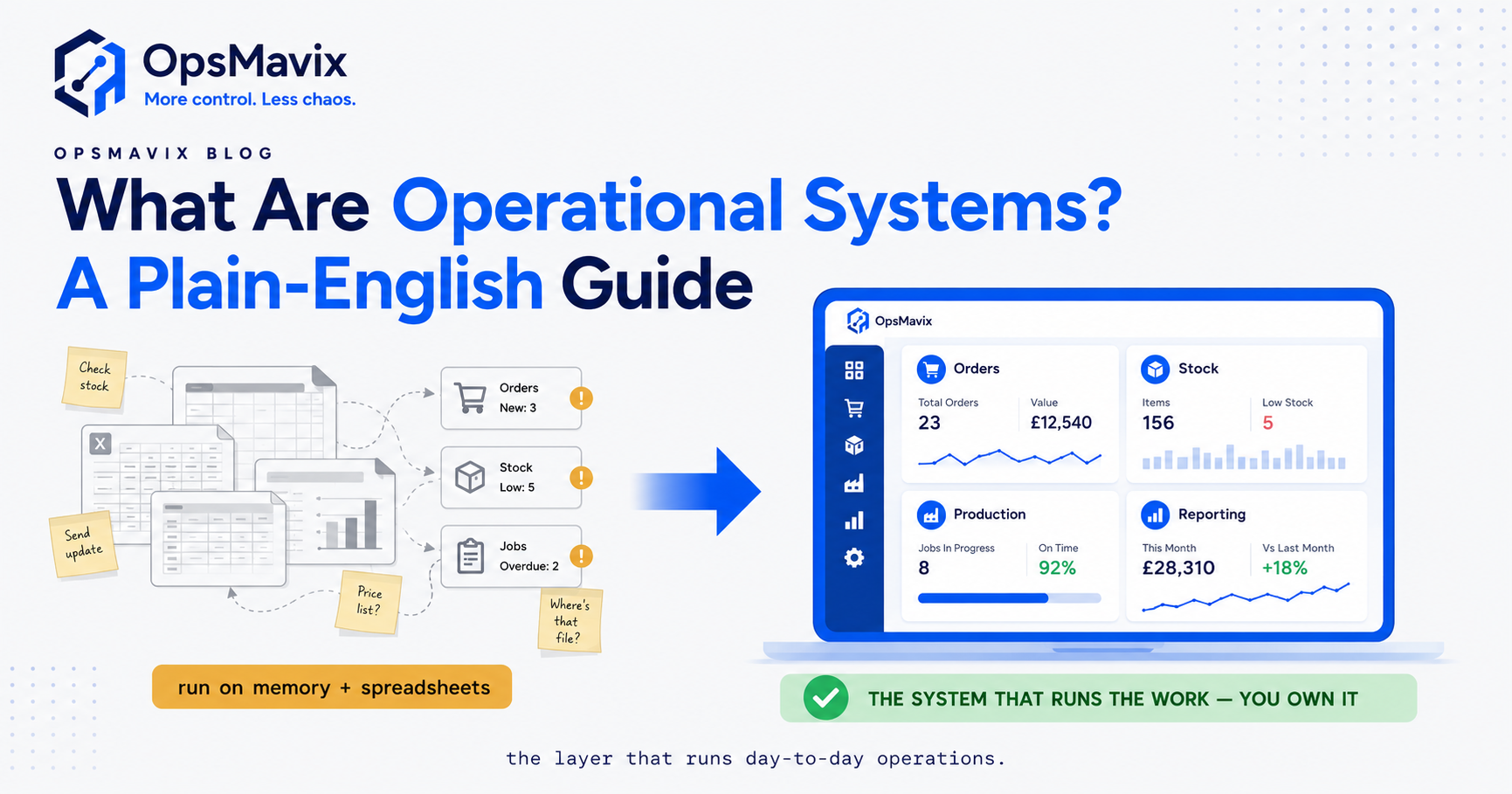
What are operational systems? They are the software that runs the day-to-day work of a business: the tools that record an order, track the stock behind it, schedule the production or picking, and report on what actually happened. Instead of that information living in someone’s inbox, a printed sheet, or three separate spreadsheets, an operational system holds it in one shared place so the whole team is working from the same numbers.
If you have ever asked “did that order ship?”, “how much of this do we actually have?”, or “why does the spreadsheet say one thing and the warehouse says another?”, you have already run into the problem operational systems exist to solve. They are the layer that keeps the moving parts of a business in sync.
Key Takeaways
- An operational system runs your day-to-day operations: orders, stock, purchasing, production and reporting, all reading and writing to one shared source of truth.
- The everyday examples are simple: an order tracker, a live stock count, a production or job board, a purchasing list, and dashboards that pull from all of them.
- It differs from a spreadsheet because it is shared, live, and enforces rules, so two people cannot quietly overwrite each other or let stock drift.
- It differs from a full ERP because it covers the operational core you touch daily, without the accounting-suite weight, long rollout, or per-seat licensing.
- The point is the outcome, not the software: fewer re-keyed orders, fewer stockouts, and one honest number everyone trusts.
- You do not need every module at once: most businesses start with the one process that leaks the most and grow the system around it.
What an operational system actually is
At its simplest, an operational system is a database with a friendly front end and a set of rules. The database holds the things your business tracks (orders, products, stock, suppliers, jobs). The front end is the screen your team uses to add and update those things. The rules make sure the data stays sensible: an order cannot ship stock you do not have, a product code cannot be duplicated, a job cannot be marked complete before it is started.
That combination is what separates a system from a document. A spreadsheet stores numbers. A system stores numbers and keeps them honest while several people work at once.
Operators tell us the real value shows up on the boring days: nobody is chasing a missing figure, nobody is rebuilding last week’s report from memory, and the person who normally “just knows where everything is” can finally take a holiday.
The everyday examples
You do not need to imagine anything exotic. Operational systems are made of a handful of familiar pieces:
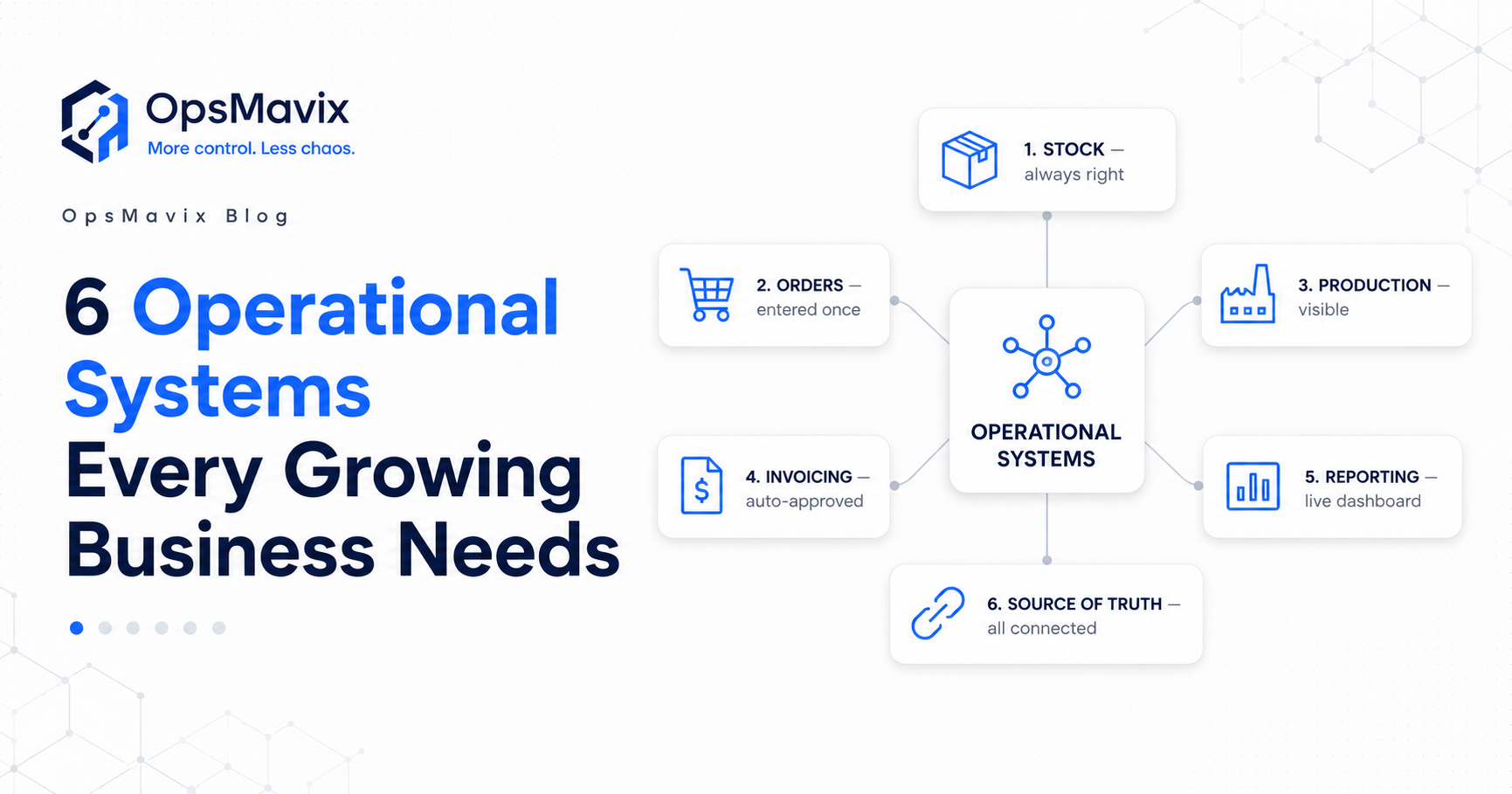
Order management records every sale or job from the moment it comes in to the moment it is fulfilled, with a status anyone can check. No more “which version of the order is the right one?”
Inventory and stock control keeps a live count of what you hold, where it is, and what is committed to orders. When something sells, the count moves. When stock arrives, the count moves. The number is not a monthly guess; it is current.
Purchasing turns “we are running low” into a tracked requisition and purchase order, so buying is a decision with a paper trail rather than a text message someone forgot to action.
Production or job tracking shows what is in progress, what is queued, and what is done, whether that is a manufacturing run, a batch of made-to-order goods, or a service job moving through stages.
Reporting and dashboards sit on top and pull from all of the above, so the daily and weekly numbers assemble themselves instead of being copy-pasted together on a Friday afternoon.
The important part is that these are not five separate tools. In a real operational system they share the same data, so an order automatically reduces stock, which automatically flags a reorder, which shows up on the dashboard. That linkage is the whole point.
How it differs from a spreadsheet
A spreadsheet is a brilliant place to start and a painful place to stay. The moment more than one person touches it, or the moment the number in it needs to be trusted by someone downstream, its limits show.
A spreadsheet does not know the difference between stock you have and stock you have promised. It will happily let two people edit the same cell and lose one of the changes. It has no memory of who changed what, and it cannot stop someone typing “12” where “1.2” belonged.
An operational system closes those gaps. It is shared by design, it separates available stock from committed stock, it keeps a history, and it applies rules so bad data is caught at the door rather than discovered three weeks later during a stock count. You are not losing the flexibility of a spreadsheet; you are keeping the flexibility and adding a spine.
If you are weighing that jump specifically, our guide on operational systems vs ERP covers where the middle ground sits.
How it differs from a full ERP
This is where a lot of growing businesses get stuck, because the pitch they hear is binary: keep struggling with spreadsheets, or buy a full ERP.
A full ERP (Enterprise Resource Planning system) tries to run everything: operations, but also accounting, HR, payroll, procurement, and finance, all in one large integrated suite. That breadth is genuinely useful for large, complex organisations. It is also why ERPs are expensive, slow to implement, priced per seat, and often more system than a 15 to 80 person business can absorb.
An operational system is deliberately narrower. It covers the operational core you touch every day, orders, stock, production, purchasing and reporting, and stops there. It connects to your accounting tool rather than trying to replace it.
Our view at OpsMavix is that most businesses “outgrowing spreadsheets and disconnected tools” do not have a software-choice problem. They have a size problem: every option on the shelf is either too small or too big. The right answer is the practical middle, and it is a real category, not a compromise. For a deeper look at that positioning, see operational ERP.
A concrete example
Picture a wholesaler shipping 60 to 120 orders a day from one warehouse.
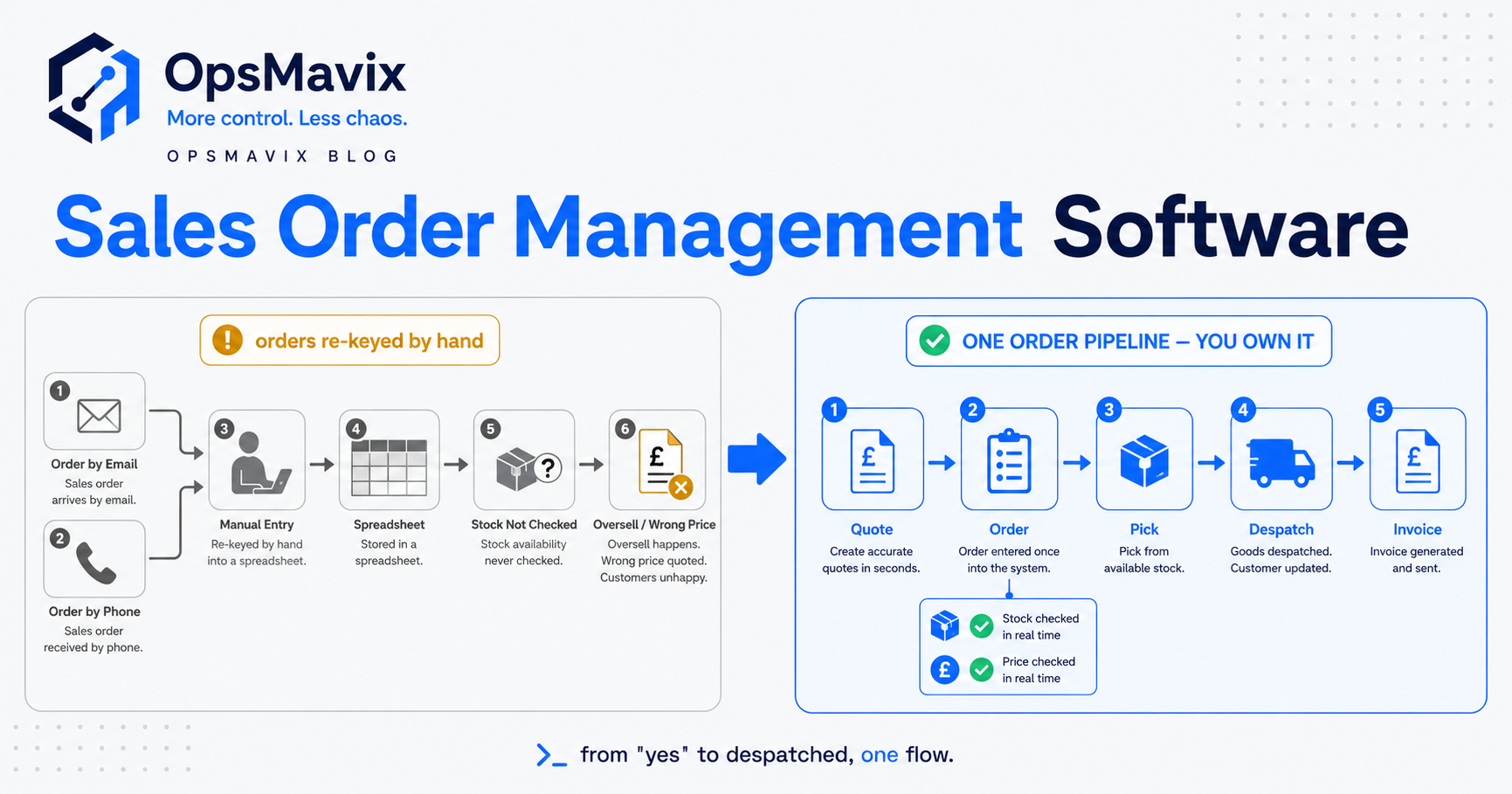
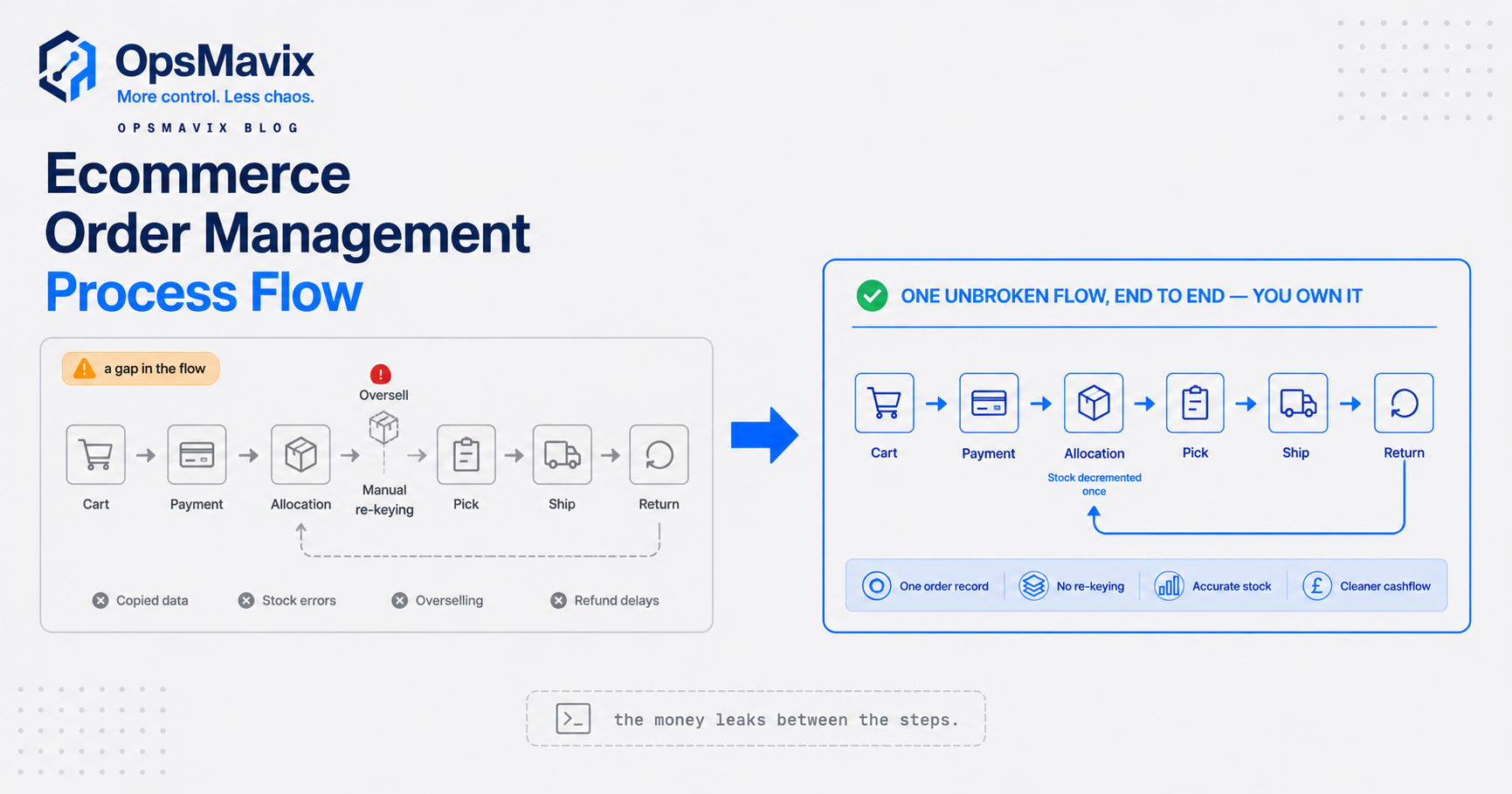
Before: orders arrive by email and a web store, someone re-keys them into a picking spreadsheet, stock is a separate sheet updated “when there is time”, and reorder decisions happen when a shelf looks empty. Twice a month they oversell something that was already committed to another customer, and every apology costs a discount and a bit of trust.
After: orders flow into one system, stock decrements the moment a line is picked, committed stock is visible so nothing gets sold twice, and low-stock lines raise a reorder flag automatically. The Friday report is a page they open, not an afternoon they lose.
Nothing in that “after” is exotic. It is the same five building blocks, wired together. The £-value is not in any single feature; it is in the oversells that stop happening and the hours that stop being spent stitching data by hand.
Do you build one, buy one, or grow your own?
Here is the honest build-vs-buy take, without the sales gloss.
Off-the-shelf software is the fastest route and the right call when your process fits the tool’s assumptions. The risk is the reverse: you end up bending your business to fit the software, paying for modules you never use, and still exporting to a spreadsheet for the one report that matters.
A full ERP is worth it when you genuinely need finance, HR and operations under one roof and have the size and budget to implement it properly. Below that threshold it usually over-serves.
An operational system shaped around how you actually work sits between the two. It fits your real process instead of a generic template, covers only what you need, and grows one module at a time. The trade-off is that it needs building well and building once, not endlessly tinkered with.
There is no universally right answer, only the right-sized one for where the business is now. The test is simple: does the option end the leak you are actually feeling, or does it just move it somewhere quieter? If your operations are outgrowing spreadsheets but a full ERP feels like buying a lorry to do the school run, the middle layer is worth a serious look. Start with the process that hurts most, get that one honest, and build outward from there.
For the wider picture of how these pieces fit together, our operations management system guide is the place to go next.
Keep reading
Getting value from OpsMavix? Add us as a preferred source on Google — you'll see more of our operations content in your AI Overviews, AI Mode and Search.