
Smartsheet Consultant for Operations Workflows
Smartsheet-style workflows help businesses improve task tracking, approvals, dashboards, reporting, and daily operations visibility.
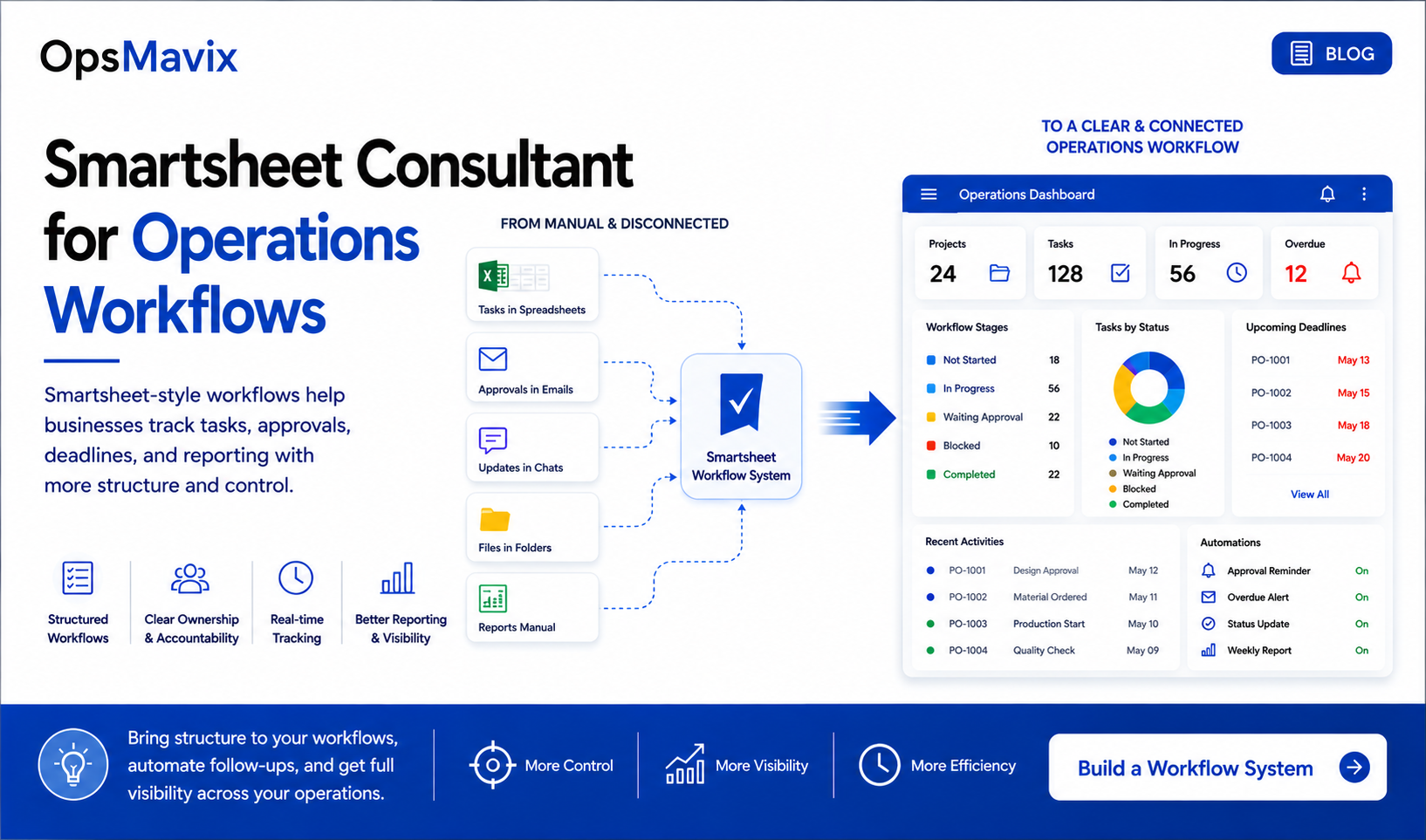
Many companies use spreadsheets to manage operations because they are familiar and flexible.
But when the business grows, simple spreadsheets often need more structure. Teams need better task tracking, clearer ownership, workflow visibility, approvals, reporting, and automation.
This is why many businesses search for a Smartsheet consultant operations workflows agency.
They are looking for a better way to manage work without creating a complicated software project.
1Why Operations Workflows Break
Operations workflows usually break when information is spread across too many places.
For example:
- Tasks are in spreadsheets
- Decisions are in emails
- Updates are in chats
- Documents are in folders
- Reports are created manually
- Approvals are not tracked clearly
This makes the business dependent on people remembering what happened and what needs to happen next.
2What Smartsheet-Style Workflows Help Manage
Smartsheet-style operations workflows help teams manage work, deadlines, owners, statuses, and reports in a more structured way.
They are useful for:
- Project tracking
- Task ownership
- Deadline management
- Approval workflows
- Client updates
- Team dashboards
- Management reporting
- Automated reminders
The goal is to make daily operations easier to see and easier to control.
A project operations dashboard can help bring workflow status and reporting into one clearer view.
3What a Useful Workflow System Should Answer
A workflow system is useful when it gives clear answers.
For example:
- What stage is this in?
- Who owns the next action?
- What is overdue?
- What is waiting for approval?
- What is blocked?
- What has been completed?
- What needs to be reported?
Without these answers, the team wastes time chasing updates.
For approval-heavy processes, an invoice approval workflow automation can reduce manual follow-ups and make approval status easier to track.
4How OpsMavix Builds Operations Workflows
OpsMavix builds custom operations workflow systems for businesses that want more control over daily work.
A workflow system can include:
- Workflow stages
- Task owners
- Due dates
- Status tracking
- Approval points
- Team views
- Dashboards
- Automated reminders
- Reporting
- Management visibility
The system is built around the real process of the company, not around unnecessary complexity.
What To Do Next
Start by choosing one workflow that creates repeated confusion.
This could be project delivery, client onboarding, order processing, inventory updates, approvals, or reporting.
Then map:
- What starts the workflow?
- What are the stages?
- Who owns each step?
- What needs approval?
- What causes delays?
- What should be visible to the team?
- What should be visible to management?
This gives the structure needed to build a better workflow system.
How OpsMavix Can Help
OpsMavix helps companies move from manual tracking to structured operations workflows.
We can help you:
- Map existing workflows
- Define stages and ownership
- Build task and deadline tracking
- Create dashboards and reports
- Add approval workflows
- Automate reminders
- Improve management visibility
- Reduce repeated manual follow-up
If your team is managing work through spreadsheets, emails, and messages, OpsMavix can help you build a clearer workflow system.