
Production Downtime Tracking: Catching Every Stop Before It Costs You
Production downtime tracking is the discipline of logging every machine stop, why it happened, and how long it lasted — as it happens, not from memory. Most shops guess. Here's how to capture real stop reasons, split planned from unplanned, read MTBF and MTTR in plain terms, and turn the data into a Pareto of causes you can actually fix.
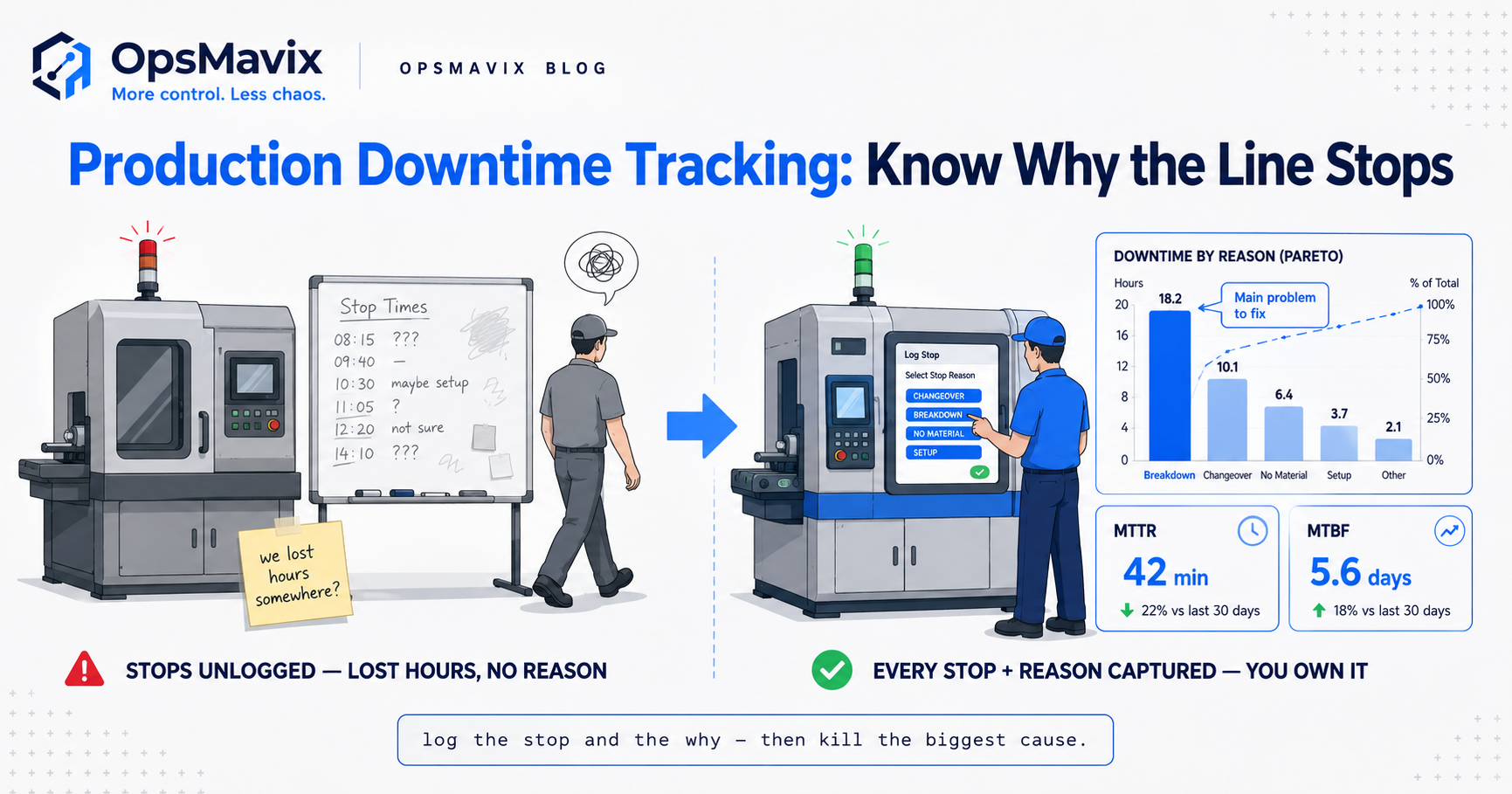
Production downtime tracking is the practice of recording every time a machine or line stops, why it stopped, and how long it was down — captured the moment it happens rather than reconstructed from memory at the end of the shift. Done properly, it turns “the line felt slow this week” into “we lost eleven hours on the same tool changeover, and here’s the log.” It’s the raw material behind every improvement decision on a shop floor.
Most small manufacturers don’t have it. They have a paper sheet on a clipboard that operators fill in when they remember, a supervisor’s gut feel about which machine is the problem child, and a monthly total that arrives too late to act on. The stops that hurt most are the short, frequent ones nobody bothers writing down — the two-minute waits that happen forty times a day. When your record of downtime is a mix of paper, memory and guesswork, you can’t fix what you can’t see, and the biggest leaks stay invisible.
Key Takeaways
- Downtime tracking captures stop events, not summaries — each stop logged with a start, an end, and a reason, while it’s fresh, not at shift’s end.
- Reason codes are the whole game. A stop with no reason is just a gap; a stop tagged “waiting on material” or “tooling change” is something you can act on.
- Split planned from unplanned downtime. A scheduled changeover and a surprise breakdown are both “down time” but they demand completely different responses.
- MTBF and MTTR translate raw logs into two plain questions: how often does it break, and how long to get it running again.
- The short, frequent stops — minor stoppages — are the ones paper sheets miss and the ones that quietly eat the most machine hours.
- A Pareto of stop reasons turns a month of logs into a ranked hit-list, so you fix the cause costing you the most instead of the one shouting loudest.
1. What Production Downtime Tracking Actually Captures
At its core, downtime tracking records three things per stop: when it started, when it ended, and why. That “why” is what separates a useful system from a stopwatch. Availability sensors on a machine can tell you it wasn’t running for 47 minutes; only a person or a well-designed workflow can tell you it was down because the next job’s material hadn’t arrived from goods-in. The duration is easy to measure automatically. The reason is the part that makes the data worth having.
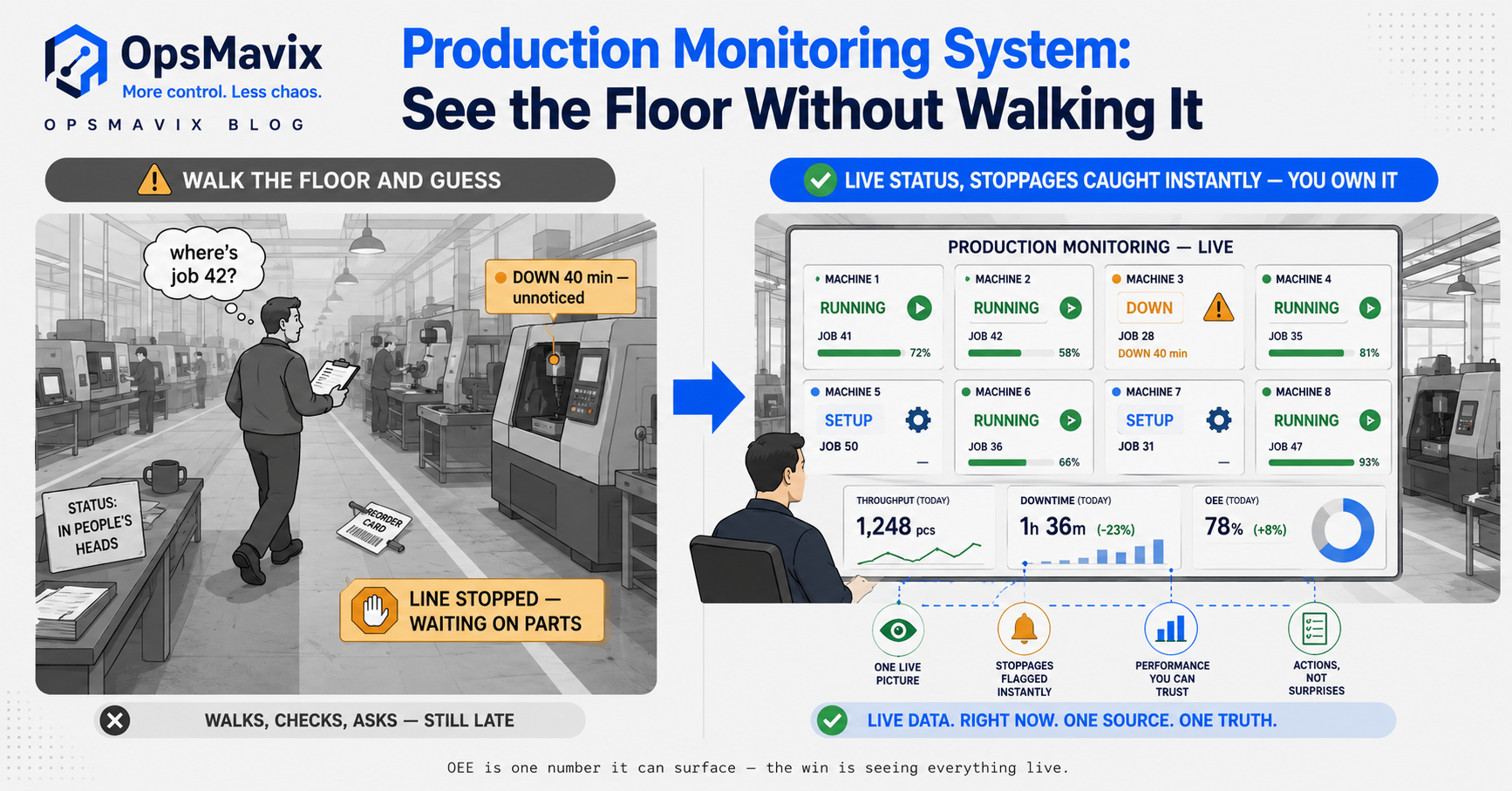
This is deliberately narrower than full OEE monitoring, which multiplies availability, performance and quality into one score. Downtime tracking is the availability slice — the “was it running or not, and why not” question — captured in enough detail that you can act on it. You can run solid downtime tracking without ever calculating OEE. You cannot calculate a trustworthy OEE without it.
2. Logging Stops as They Happen (Not From Memory)
Here’s where most systems die: the logging mechanism. A paper sheet on a clipboard sounds reasonable until you watch a real shift. The operator is elbow-deep in a changeover, the line’s backing up, and filling in a downtime row is the last thing on their mind. So they don’t — or they scribble “misc” at the end of the day for a stop they half-remember. One production manager we spoke to put it bluntly: “The sheet gets filled in Friday afternoon for the whole week, and it’s fiction. Everyone knows it’s fiction.”
The fix isn’t a better paper form — it’s making the log take three seconds. A tablet at the cell with big reason-code buttons. A barcode wand to scan a laminated reason card. A physical button box wired to the line. The design rule is that logging a stop must be faster and easier than not logging it, or busy people will skip it every time. When capture happens inside the work — at the machine, in the moment — you get real data. When it’s a separate admin chore for later, you get whatever someone can remember on a Friday.
3. Reason Codes: Turning Gaps Into Causes
A downtime log without reason codes is a list of holes in your production. Useful for a total, useless for improvement. The value comes from a tight, well-chosen set of reasons operators can pick from in seconds: tooling change, material wait, breakdown, no operator, quality hold, planned maintenance, changeover, and so on. Too few and everything becomes “other”; too many and people freeze at the screen and pick the first plausible one. A dozen clear codes usually beats forty precise ones nobody uses correctly.
The codes have to come from the floor, not the office. A factory owner described inheriting a reason-code list written by a consultant that had “SKU transition variance” as an option — operators had no idea what it meant, so every material-related stop got dumped under it, and the data was worthless. Sit with the people pressing the buttons, use their words, and the codes get used honestly. That’s a core production monitoring system principle: the categories mean nothing if the person tagging the stop doesn’t recognise their own reality in them.
4. Planned vs Unplanned Downtime
Not all downtime is a failure. A scheduled changeover, a planned maintenance window, a deliberate line clear — these are down time, but they’re expected and, to a point, controllable through better scheduling. Unplanned downtime is the surprise: a breakdown mid-run, a tool snapping, a material stock-out that stopped a job you thought was fine. Lumping them into one “downtime” bucket hides the distinction that matters most for what you do next.
The split changes the conversation entirely. High planned downtime says “our changeovers and maintenance windows are eating capacity — can we shorten them or shift them off peak?” High unplanned downtime says “things are breaking when we don’t expect them — we have a reliability problem.” Same total hours, two completely different action plans. A good tracking setup tags every stop as planned or unplanned at the moment it’s logged, so the monthly picture separates the cost of your schedule from the cost of your surprises.
5. MTBF and MTTR in Plain English
Two acronyms do a lot of work here, and both are simpler than they sound. MTBF — mean time between failures — is just the average run time you get between unplanned stops. If a machine breaks roughly once every 20 hours of running, that’s your MTBF. It answers “how reliable is this thing?” MTTR — mean time to repair — is the average time from a stop starting to production resuming. If breakdowns typically cost you 90 minutes to sort out, that’s your MTTR. It answers “when it does break, how badly does it hurt?”
The two together tell a story a single downtime total can’t. A machine with a long MTBF but a brutal MTTR breaks rarely but stops the world when it does — you invest in faster recovery, spares on the shelf, a clear escalation path. A machine with a short MTBF but a quick MTTR nags constantly with small stops — you chase the root cause of the frequency. You only get either number if you’ve been logging stops with start and end times all along, which is exactly what downtime tracking gives you as a by-product.
6. Minor Stops: The Downtime Slice of the Six Big Losses
Lean manufacturing talks about “six big losses,” and downtime owns two of them: breakdowns and setup/changeover on the availability side, plus minor stops and reduced speed nibbling at performance. The one almost every paper system misses is minor stoppages — the short, frequent stops under a few minutes. A jam cleared in 30 seconds, a sensor re-triggered, a quick wait for a part. Nobody writes those down. They feel too small to matter.
They aren’t. A stop that lasts two minutes and happens forty times a shift is 80 minutes gone — more than a single dramatic hour-long breakdown, and completely invisible on a manual sheet. This is where automatic or semi-automatic capture earns its keep: a system that detects the line has paused and prompts for a reason catches the small stuff a human would never bother recording. Our contrarian take: most shops are hunting the big breakdown when the real money is bleeding out through a hundred tiny stops they’ve trained themselves not to see. The dramatic failures get all the attention because they’re loud. The minor stops are quiet, constant, and usually the bigger number.
7. From Stop Logs to a Pareto You Can Act On
Capturing the data is half the job; the payoff is what you do with a month of it. Sort your stops by total time lost per reason code and you get a Pareto — the ranked list of what’s actually costing you, biggest first. Nine times out of ten a small handful of causes account for most of the lost hours. That’s the fix list. Not the reason that made the most noise, not the one the loudest supervisor complains about — the one the data says is eating the most machine time.
Consider the before-and-after. Before: a shop “knew” its old press was the bottleneck and was pricing up a replacement. After eight weeks of real stop logging, the Pareto showed the press was fine — the top cause by a distance was material waits at a completely different cell, worth far more lost machine hours than the press ever cost. They fixed a goods-in process instead of spending on a machine. That’s the entire point of tracking: it replaces the confident wrong answer with the boring correct one. This ranked, act-on-it view is what a proper manufacturing execution system is built to deliver, and it’s the core of our production tracking service.
FAQ
What’s the difference between downtime tracking and OEE monitoring?
Downtime tracking captures the availability piece — every stop, its duration, and its reason. OEE monitoring goes further, multiplying availability by performance and quality to produce one overall score. You can and should run downtime tracking on its own; it’s also the foundation any honest OEE number is built on. See our OEE monitoring post for the full calculation.
How do operators log a stop without slowing production down?
By making it near-instant. A tablet with large reason-code buttons at the cell, a scan of a laminated reason card, or a physical button box — anything that takes seconds and happens right at the machine. The failure mode is a paper sheet filled in later; the fix is capture inside the work, in the moment, so it costs the operator almost nothing.
What are good downtime reason codes to start with?
A tight set drawn from your own floor: breakdown, changeover/setup, material wait, tooling change, no operator, quality hold, planned maintenance, and a small “other” for genuine edge cases. Around a dozen clear codes in your team’s own language beats a long precise list nobody applies consistently. Refine them after a few weeks of real use.
Should I track planned downtime, or only breakdowns?
Track both, but tag them separately. Planned downtime — changeovers, maintenance windows — tells you where scheduling could recover capacity. Unplanned downtime tells you where you have a reliability problem. They need different responses, so a system that flags every stop as planned or unplanned keeps the two costs from hiding inside one total.
Do I need machine sensors, or can people log stops manually?
Both work, and the best setups blend them. Manual logging via tablet or button is fine for larger, less frequent stops. But the short, minor stoppages that happen dozens of times a shift are almost impossible to capture by hand — that’s where automatic detection, prompting an operator for a reason when the line pauses, catches the losses a person would never write down.
How OpsMavix Can Help
Most downtime problems aren’t measurement problems — they’re capture problems. The data exists in your operators’ heads; it just never makes it onto a sheet in a form you can act on. We build custom production systems that make logging a stop take three seconds, use reason codes in your team’s own words, split planned from unplanned automatically, and roll it all into a Pareto that tells you which cause to fix first — tied to the real jobs running on your real machines.
You don’t need a six-figure MES or another sensor platform that streams data nobody reads. You need a right-sized system that captures stops where the work happens and turns them into decisions. If machine hours are leaking out of your floor and nobody can put a name to where, that’s exactly what we find first. Book a Free Operations Leak Audit.
Keep reading
Getting value from OpsMavix? Add us as a preferred source on Google — you'll see more of our operations content in your AI Overviews, AI Mode and Search.