
Google Sheets and AppSheet Operations Systems
Google Sheets and AppSheet-style systems help businesses turn spreadsheet data into clearer workflows, apps, dashboards, and automation.
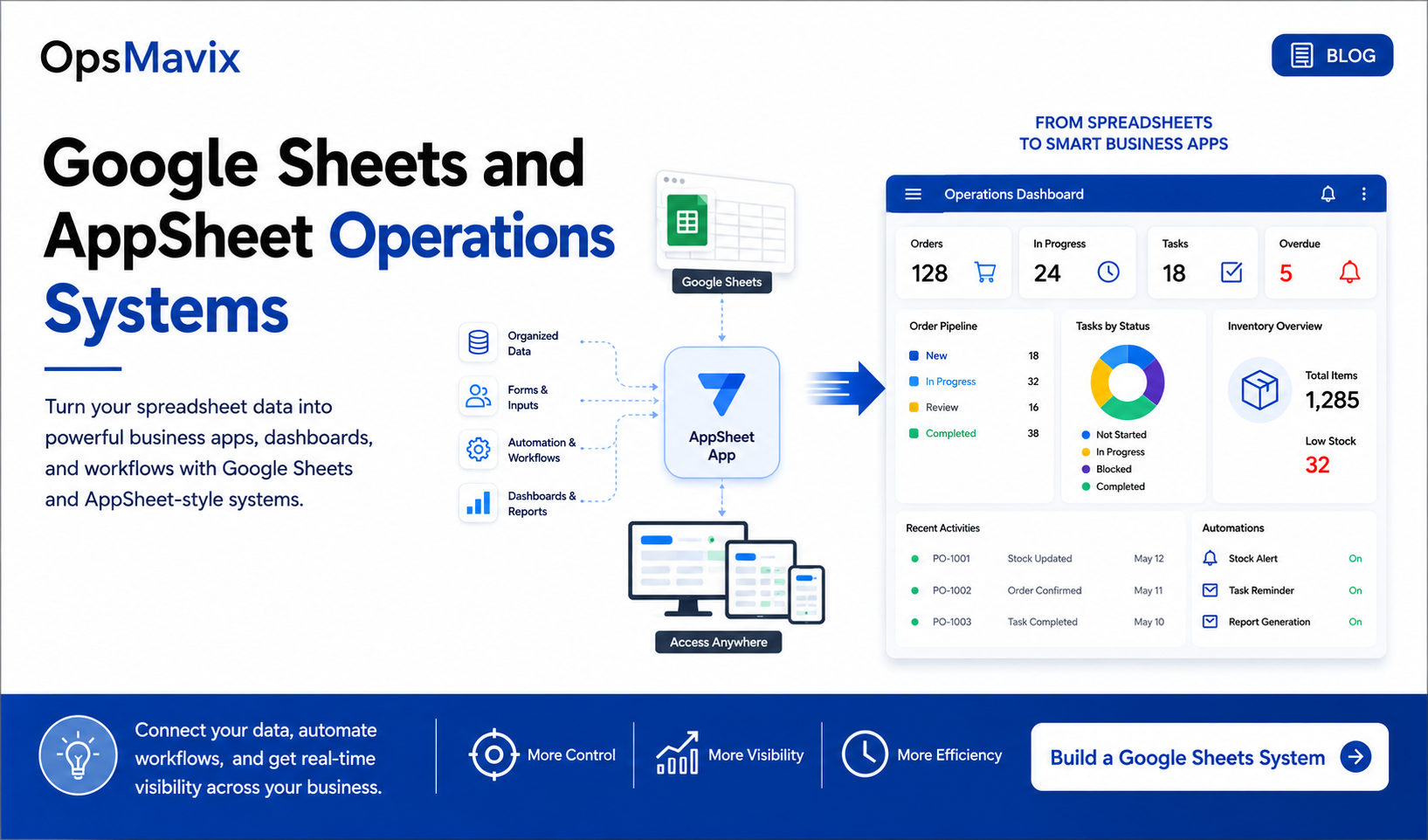
Google Sheets is one of the most common tools used by growing businesses.
It is easy to start, easy to share, and flexible enough for many daily tasks. But when Google Sheets becomes the main tool for managing operations, problems can start to appear.
The business may have one sheet for clients, one for orders, one for stock, one for tasks, and another for reporting.
That is when a Google Sheets AppSheet custom business operations systems development company can help turn spreadsheet work into a clearer internal system.
1When Google Sheets Is No Longer Enough
Google Sheets is useful, but it is not always enough for managing daily operations at scale.
Problems usually appear when:
- The team updates too many sheets manually
- Data is duplicated
- Reports take too long
- Users overwrite important information
- There is no clear workflow
- Task ownership is unclear
- Reminders are manual
- Management does not trust the numbers
The business may not need a full ERP immediately. It may need a better system around the spreadsheet data it already has.
2What an AppSheet-Style Operations System Does
An AppSheet-style system can turn spreadsheet data into a simple business app.
This gives the team a better way to:
- Add records
- Update statuses
- Track tasks
- View assigned work
- Manage approvals
- Upload information
- Use forms from mobile or desktop
- See dashboards
Instead of working directly inside a spreadsheet, users work through a cleaner interface.
This reduces errors and makes the process easier to follow.
3Good Use Cases for Google Sheets and AppSheet Systems
Google Sheets and AppSheet-style systems work well when the business needs something practical, focused, and easier to adopt.
Good use cases include:
- Order tracking
- Stock updates
- Field service tracking
- Project delivery
- Client updates
- Approval workflows
- Simple CRM systems
- Production tracking
- Reporting dashboards
For product-based businesses, an inventory automation system can also help connect stock data, updates, and reporting more clearly.
4From Manual Work to Automation
A strong operations system can reduce repeated manual work.
Examples include:
- Automatic task reminders
- Status change notifications
- Approval alerts
- Dashboard updates
- Client follow-up tracking
- Late task visibility
- Stock or order alerts
- Weekly management reports
This helps the team spend less time chasing updates and more time doing useful work.
A project operations dashboard can help management see key information without waiting for manual reports.
What To Do Next
Start by reviewing your current Google Sheets.
Ask:
- Which sheets are critical to the business?
- Who updates them?
- Which data is duplicated?
- Where do errors happen?
- Which reports take too long?
- What should be entered through forms?
- What should be automated?
- What should management see in a dashboard?
This helps decide whether your business needs a cleaner Google Sheets structure, an AppSheet-style app, dashboards, or a more complete internal system.
How OpsMavix Can Help
OpsMavix helps companies turn spreadsheets into structured operations systems using Google Sheets, AppSheet-style apps, dashboards, and automation.
We can help you:
- Review your current Google Sheets
- Clean and structure the data
- Design app-style workflows
- Build forms and status tracking
- Create dashboards and reports
- Automate reminders and updates
- Improve daily team visibility
If Google Sheets is becoming difficult to manage, OpsMavix can help you build a clearer business system around it.