
Custom Operations Systems for Growing Businesses
Custom operations systems help growing businesses replace spreadsheet chaos with clearer workflows, dashboards, and automation.
Many growing businesses start with spreadsheets because they are simple, flexible, and easy to use.
At the beginning, this works. Orders can be tracked in one sheet, tasks in another, stock somewhere else, and client updates in messages or emails.
But as the business grows, the same tools that once helped the team move quickly can start creating confusion. This is where custom operations systems become valuable.
A custom operations system gives the business a clearer way to manage daily work, connect information, and reduce manual admin.
1The Problem Starts When Spreadsheets Become the System
Spreadsheets are useful, but they are not always designed to manage growing operations.
Common problems include:
- Different versions of the same file
- Manual copy and paste between sheets
- Missed updates
- No clear approval flow
- Weak reporting
- No proper task ownership
- Data errors from manual updates
- One person understanding the whole process
These issues usually build slowly. The business still runs, but the structure behind it becomes harder to trust.
2What a Custom Operations System Does
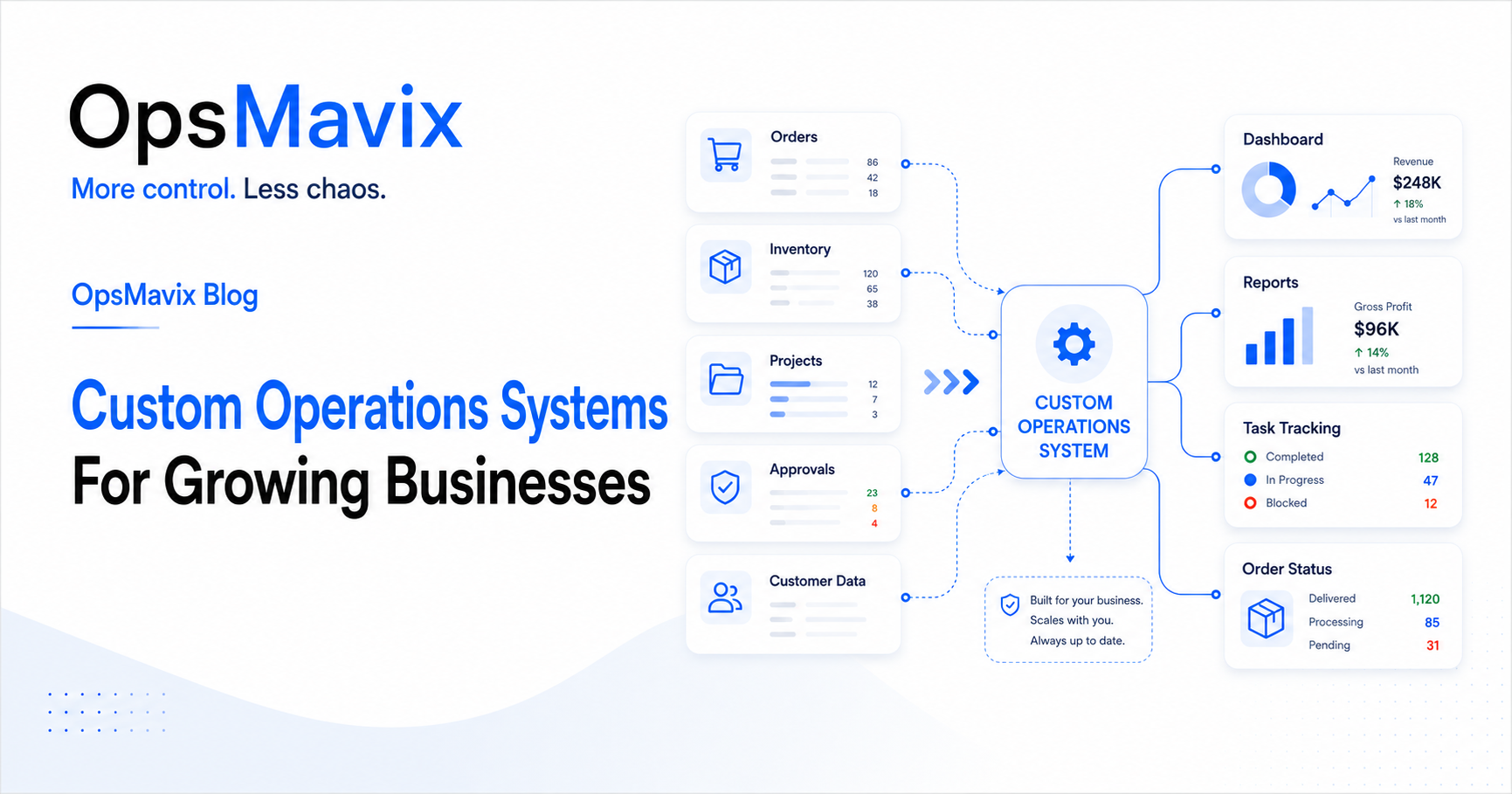
A custom operations system is a practical internal system built around how your business actually works.
It can help manage:
- Clients
- Orders
- Projects
- Tasks
- Inventory
- Production
- Approvals
- Deadlines
- Reports
- Dashboards
- Team responsibilities
Instead of spreading work across separate spreadsheets, messages, and documents, the business has one clearer place to manage daily operations.
A project operations dashboard can also help owners and managers see what is happening without waiting for manual reports.
3When Your Business Needs One
A custom operations system is useful when the current way of working creates more admin than control.
You may need one if:
- The team asks for the same updates every day
- Reports are not trusted
- Work is tracked in too many places
- Orders or tasks are missed
- Inventory numbers are unclear
- Clients wait too long for updates
- Staff depend on one person to understand the process
When these problems appear, the issue is usually not the team. The issue is the system around the team.
4The Solution Starts With Process Design
OpsMavix does not start with software first.
The first step is understanding how the business works:
- What needs to be tracked?
- Who owns each step?
- Where do delays happen?
- What information is required?
- Which reports does management need?
- What can be automated?
- What should stay simple?
From there, the system can be designed around the real process instead of forcing the business into a generic tool.
For businesses with stock or order complexity, an inventory automation system can help create better visibility and reduce manual tracking.
What To Do Next
If your business is relying heavily on spreadsheets, start by reviewing the areas that create the most confusion.
Look at:
- Orders
- Stock
- Tasks
- Approvals
- Reports
- Customer updates
- Internal handovers
Then identify which parts are repeated manually, which data is not trusted, and which updates are hard to find.
This gives you a clear starting point for building a better system.
How OpsMavix Can Help
OpsMavix helps growing businesses move from spreadsheet chaos to structured operations systems.
We can help you:
- Map your current workflows
- Replace scattered spreadsheets
- Build custom internal systems
- Create dashboards and reports
- Automate repeated admin work
- Improve visibility across teams
- Design systems around your real process
If your business is outgrowing spreadsheets, OpsMavix can help you build a clearer way to work.