
Pimento WMS Alternative: When a Packaged App Won't Fit Your Ops
Pimento WMS is a newer, mobile-first shipping and fulfilment app built for eCommerce brands and 3PLs that want an off-the-shelf WMS. The honest Pimento WMS alternative for an operation with workflows no template matches isn't another packaged app — it's a custom system built around how your operation already runs, that you own.
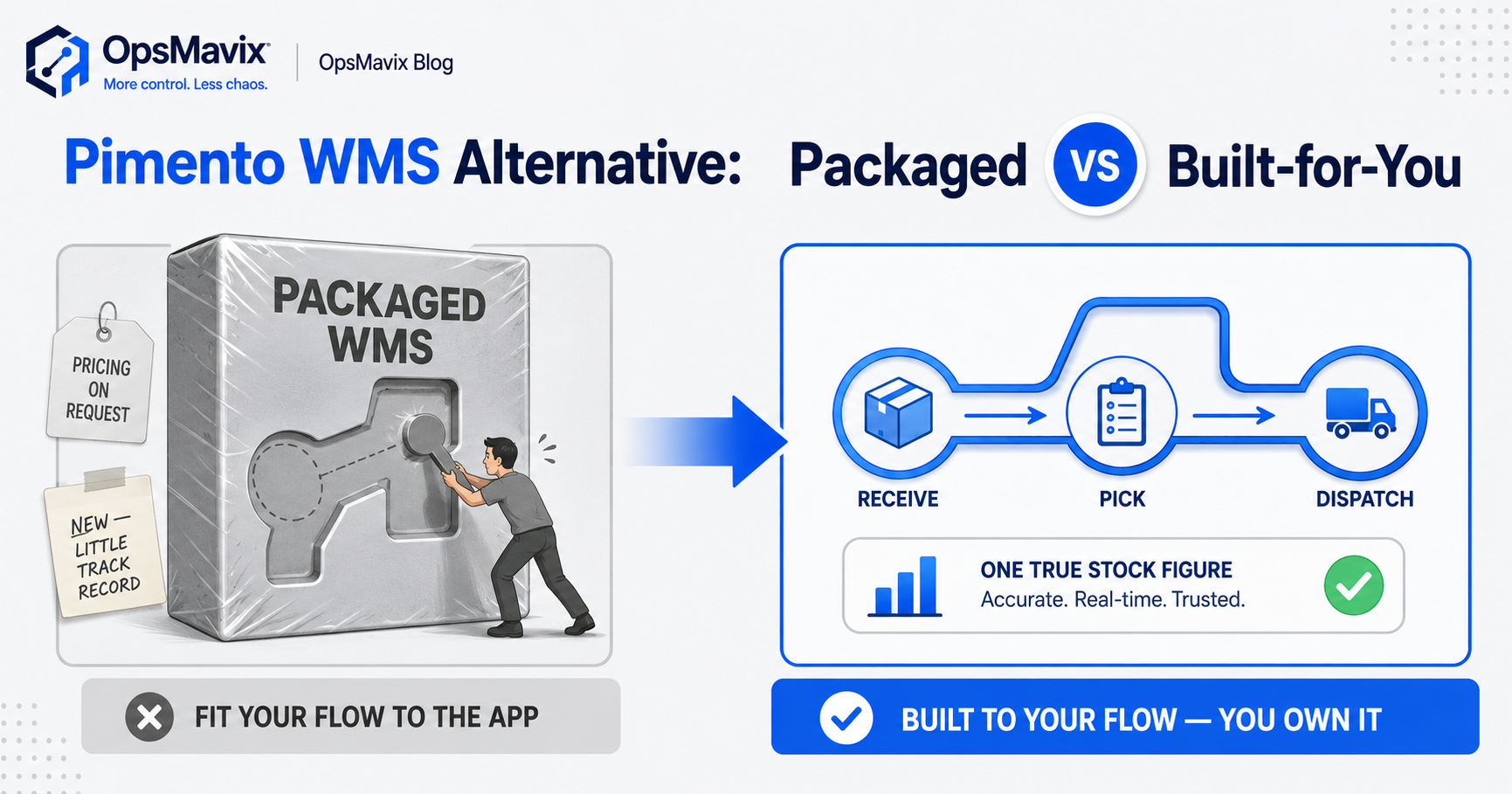
The honest Pimento WMS alternative depends on one question: does your operation fit a packaged app, or does the app have to fit your operation? Pimento is a newer, mobile-first WMS and shipping platform for eCommerce brands and 3PLs — multi-channel inventory sync, scanning and putaway, returns, AI box-size selection, and several dispatch modes, in tiers called Starter, Growth and Scale. If your fulfilment looks like the shape it expects, it’s a tidy off-the-shelf fit. If your operation runs on workflows no template matches — odd kitting, a pricing quirk, a multi-company split, a process your team won’t change — the real alternative isn’t a different SaaS WMS. It’s a system built around how you already work, live in weeks, that you own outright.
This post covers what Pimento is genuinely built for, what to weigh before committing to a packaged app, and when a custom system serves you better. If the deeper question is whether you need a packaged WMS at all, the WMS-versus-right-sized decision covers that sibling call.
Key Takeaways
- Pimento WMS is a newer, mobile-first shipping-and-fulfilment app for eCommerce brands and 3PLs that want an off-the-shelf system — its founders have a UK logistics background from running a 3PL.
- Pimento’s pricing isn’t published, and there’s no independent review track record yet (no G2, Capterra or Trustpilot), so you’re judging it on demos and the vendor’s own claims.
- A packaged WMS fits when your fulfilment matches the shape it expects. It strains when your real workflows don’t fit its templates.
- The alternative to a SaaS WMS isn’t another SaaS WMS — it’s a custom system built around your actual flow, with one true stock figure, live in weeks, owned by you.
- Pick by fit, not feature count: the right tool matches the operation you run today, not the one a template assumes you run.
1What Pimento WMS Is Actually Built For
Pimento does a real, specific job. It’s a packaged WMS and shipping platform for eCommerce brands and 3PLs — operations that ship a lot of parcels across multiple channels and want a single app to run inventory and dispatch. Its founders ran a 3PL for several years and have a UK logistics background, which shows in the feature set: multi-channel inventory sync, multi-location stock, batch and lot tracking, scanning, putaway and workforce management, returns, AI-assisted box-size selection, and four dispatch modes, all in a mobile-first app on Google Play. For a brand or 3PL whose fulfilment already looks roughly like that, it’s a sensible off-the-shelf choice.
The catch is the catch with any packaged app: it’s built for the average of its target market, not for your operation specifically. That’s a strength when you’re standard and a constraint when you’re not. If your warehouse moves stock in a way the app didn’t anticipate, you bend your process to fit the software — and the cost of that bend is paid every day by the people on the floor.
2The Things a Packaged App Won’t Tell You Up Front
Two honest gaps sit behind Pimento, neither about its quality, and you should weigh both. The first is that its pricing isn’t published. The tiers — Starter, Growth, Scale — are named, but you won’t know what you’re paying until you’re in a sales conversation, and a WMS you can’t quietly price-check is one you can’t easily compare against the market on your own terms.
The second is the review record. Pimento is a newer, smaller product with no independent third-party review track record yet — no G2, Capterra or Trustpilot history to read. The vendor states it’s trusted by 500+ brands, which may well be true, but it’s their claim, not verified outside feedback. Plenty of good software starts here. It just means your decision rests on demos and the vendor’s word rather than years of public operator reviews — so go in clear-eyed about what you can and can’t verify.
3When a Packaged WMS Strains: Workflows No Template Matches
Here’s where most “we need a different WMS” feelings actually come from. The problem is rarely that a packaged app lacks features. It’s that the operation has a handful of workflows the template has no slot for — and those few odd workflows are exactly where the money leaks. A custom kitting rule. Pricing that changes by customer and breaks the standard order flow. Stock that has to stay right across a multi-company split. A returns process your team built over years and won’t unlearn for software.
When that happens, a packaged WMS forces a choice: contort your real process to fit the app, or run the awkward bits outside it — in a spreadsheet, an email thread, someone’s head. Both are leaks. One inventory manager described the everyday version plainly: “we would consistently oversell items we didn’t even have on hand” — what happens when the system can’t hold how the operation actually works, so part of it lives off-system where nothing keeps it honest. A template can’t fix that, because the template is the cause. The spine of any fix is one true stock figure the whole operation reads from — that accuracy is what an inventory automation system is built around.
4The Cost Most Buyers Miss Isn’t the Subscription
With any packaged SaaS WMS, the price you’re quoted isn’t the real cost. The real cost is the gap between how the app wants you to work and how you actually work — paid in workarounds, in stock that drifts because part of the process lives off-system, in onboarding a team onto flows that don’t match the floor, and in per-seat or per-volume fees that climb as you grow. A clean monthly figure can cost you more than a one-off build if half your operation is fighting it.
And the deeper cost is dependence. When a packaged app sits at the centre of fulfilment, the vendor sets the terms — pricing, roadmap, what gets retired — and you live with their decisions. Operators get burned by this across the market: tools repriced or discontinued with little warning. One operator described a platform being shut down as something that “invalidates two years worth of work.” A custom system flips it: fixed scope, no per-seat creep, and nothing a vendor can switch off, because you own it. Where a custom build sits against a full platform is covered in the WMS decision.
5What to Look For in a Pimento WMS Alternative
If a packaged app isn’t the fit, don’t just shop for a different packaged app — you’ll hit the same template-shaped wall one product over. Look for fit, not feature count. Does it match your actual flow — goods-in to pick to pack to dispatch in your building, odd workflows included, not a generic version? Can it go live in weeks? Does it connect to the tools you already run — Shopify, Amazon, Xero, your couriers, your suppliers — instead of demanding you rip them out? Does the price stay fixed as you grow, or tax every new seat and parcel?
And critically: do you own it, or are you renting capability on someone else’s terms? A custom system gives the floor team exactly what they need — a stock figure they trust, scanning that records movements, reorder alerts that fire on time, roles so you know who changed what — shaped to how your operation genuinely runs. For an eCommerce brand whose stock has to stay right across channels, that’s multichannel inventory automation built around your channels, not a template’s idea of them. The right alternative fits the operation you run today.
6What a Built-For-You Operations System Covers
A custom system isn’t a stripped-down WMS — it’s built around how your operation genuinely runs. One true stock figure that every screen reads from, updated the instant anything is received, moved, picked or dispatched, so the count matches the shelf across every channel and site. A receiving flow that books goods in cleanly, picking that points to the right bin, packing checks that catch errors before they ship, returns handled the way your team actually handles them, and dispatch that closes the loop. Reorder alerts on a number you can trust. Roles and an audit trail. And — the part a template can’t give you — your two or three odd workflows built in, not bolted on the side.
The difference from a packaged app like Pimento is that nothing is shaped by a market average. Where Pimento gives you a tidy app built for the typical eCommerce brand or 3PL, a custom build gives you the part of a WMS you’ll actually use, fitted to your flow. If the pain is really on the order desk — pricing quirks, customer-specific rules, intake mess — a Mintsoft-style alternative handles that side with the same principle: built around your operation, owned by you.
7When NOT to Switch (the Honest Bit)
Be fair to Pimento: if your fulfilment fits the shape a packaged WMS expects, and you want an off-the-shelf system that’s quick to start and runs on a phone, Pimento is a reasonable candidate — see what they quote, run a real trial against your messiest week, and judge it on your own ops. A custom build is the wrong answer for an operation that’s genuinely standard; paying to rebuild what a packaged app does well is its own kind of leak. Don’t go custom on principle.
The switch earns its place when the maths tips — when the workarounds, the off-system spreadsheets, the per-seat fees and the workflows the template can’t hold cost you more than building the right thing once. Our view is plain: choose a custom system when your operation is outgrowing spreadsheets but its real workflows are too specific for any packaged app to fit cleanly. Then move once, onto something built around the operation you actually run.
Pimento WMS vs a Built-For-You System
| Pimento WMS (packaged app) | Built-for-you system | |
|---|---|---|
| Built for | The typical eCommerce brand or 3PL | Your operation’s real flow, odd workflows included |
| Scope | Multi-channel sync, scanning, returns, dispatch | Receive, pick, pack, dispatch, reorder — plus your specifics |
| Workflow fit | You fit the template | The system fits you |
| Pricing | Not published; tiered (Starter/Growth/Scale) | Fixed build (£3k–£25k range), you own it |
| Track record | Newer product; no third-party reviews yet | Built and verified against your operation |
| Lock-in | Vendor controls pricing and roadmap | You hold it; nothing to switch off |
| Best fit | Standard fulfilment that fits the app | outgrowing spreadsheets, too specific for a template |
Common Questions
What is the best Pimento WMS alternative?
There isn’t one best answer — it depends on whether your problem is “I want a different off-the-shelf app” or “no template fits how my operation runs.” If you want another packaged WMS, there are several aimed at eCommerce and 3PLs worth demoing side by side — Mintsoft and Anchanto are two to weigh. If the real issue is that your workflows don’t fit a template — a pricing quirk, custom kitting, a multi-company split, a process your team won’t change — then the alternative isn’t another app at all. It’s a system built around your actual flow, with one true stock figure and a go-live in weeks.
How much does Pimento WMS cost?
Pimento doesn’t publish its pricing. The tiers are named — Starter, Growth and Scale — but you won’t see figures until you’re in a sales conversation, so you can’t easily price-check it against the market on your own. That’s worth factoring in: a tool you can’t quietly compare is harder to evaluate before you’ve committed time to a demo cycle.
Are there independent reviews of Pimento WMS?
Not yet that we can find. Pimento is a newer, smaller product with no third-party review track record on the usual sites (G2, Capterra, Trustpilot). The vendor states it’s trusted by 500+ brands, but that’s their own claim, not verified outside feedback. It doesn’t make Pimento bad — many good tools start without a public review history — but your decision leans on demos and the vendor’s word, so test it hard against your own operation before committing.
Is a custom operations system as capable as a packaged WMS?
For a standard fulfilment operation, a good packaged app is hard to beat on price-to-start and speed. For an operation with workflows no template fits, the question flips: a custom system is more capable where it counts, because it’s shaped to your actual receiving, picking, returns and dispatch — including the odd bits a packaged app forces off-system. Capability you can’t actually use, or have to work around, isn’t an advantage. It’s cost.
How OpsMavix Can Help
OpsMavix builds custom warehouse and inventory systems for businesses that are outgrowing spreadsheets but whose real workflows are too specific for an off-the-shelf app like Pimento to fit cleanly. We build around how your operation actually runs: one true stock figure that matches the shelf across every channel, a receive-to-dispatch flow shaped to your building, returns and reorders handled your way, roles and an audit trail, and links into the channels and tools — Shopify, Amazon, Xero, couriers, suppliers — you already use. It’s live in weeks, fixed scope from around £3k, and you own it outright — no per-seat fees, no template to fight, nothing a vendor can switch off. Our guarantee is on delivery: we commit to shipping what we scope.
If you’ve looked at a packaged WMS and the honest worry is “this won’t hold the way we actually work,” that’s exactly the gap we build into. Book a Free Operations Leak Audit and we’ll map where your stock accuracy, fulfilment and odd workflows break down today, what it’s costing you, and whether a custom system is genuinely worth the move.